+603-7806 3111 (Hunting Line)

enquiry@coemarketing.com.my


Share:


FUJIFILM IWpro


FUJIFILM IWpro

Integrated work process transforms your workstyle

Overview

FUJIFILM IWpro empowers businesses to conquer the barriers of digital transformation.

FUJIFILM IWpro is an all-in-one secure platform solution for business digitisation, providing workspace collaboration, workflow optimisation, efficient document and metadata management, and cloud-based printing capabilities.

ONE Collaboration Platform

ONE Collaboration Platform

Streamlines information and tasks, reduces dependency on individuals, and helps teams work together more efficiently.
CHANGEABLE processes

CHANGEABLE processes

Supports changes without special IT skills or major changes to current systems and external communication methods.
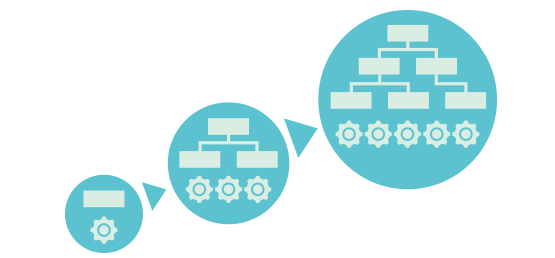
EASY to Start

EASY to Start

Minimises manual work between systems and fits work processes that involve many documents and data.
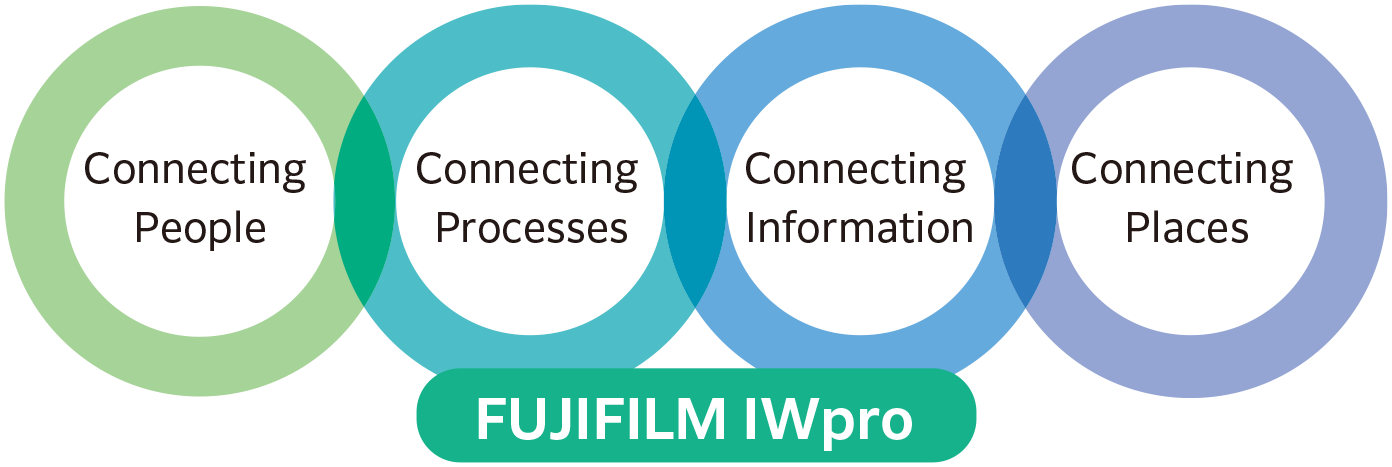

Connecting People, Processes, Information and Places
With anyone, from anywhere

Centrally Manage Information on the Cloud

Documents are automatically imported, converted to digital data and managed on the cloud. Job status and progress can be shared among team members, with linkage to currently used business systems.

A Workspace for Everyone

Workspace is a collaborative area where everyone can share documents and information, and easily manage, edit, store and print documents.

Features

Connecting People

Creates a synergetic space where everything and everyone gathers, promoting both internal and external collaboration.
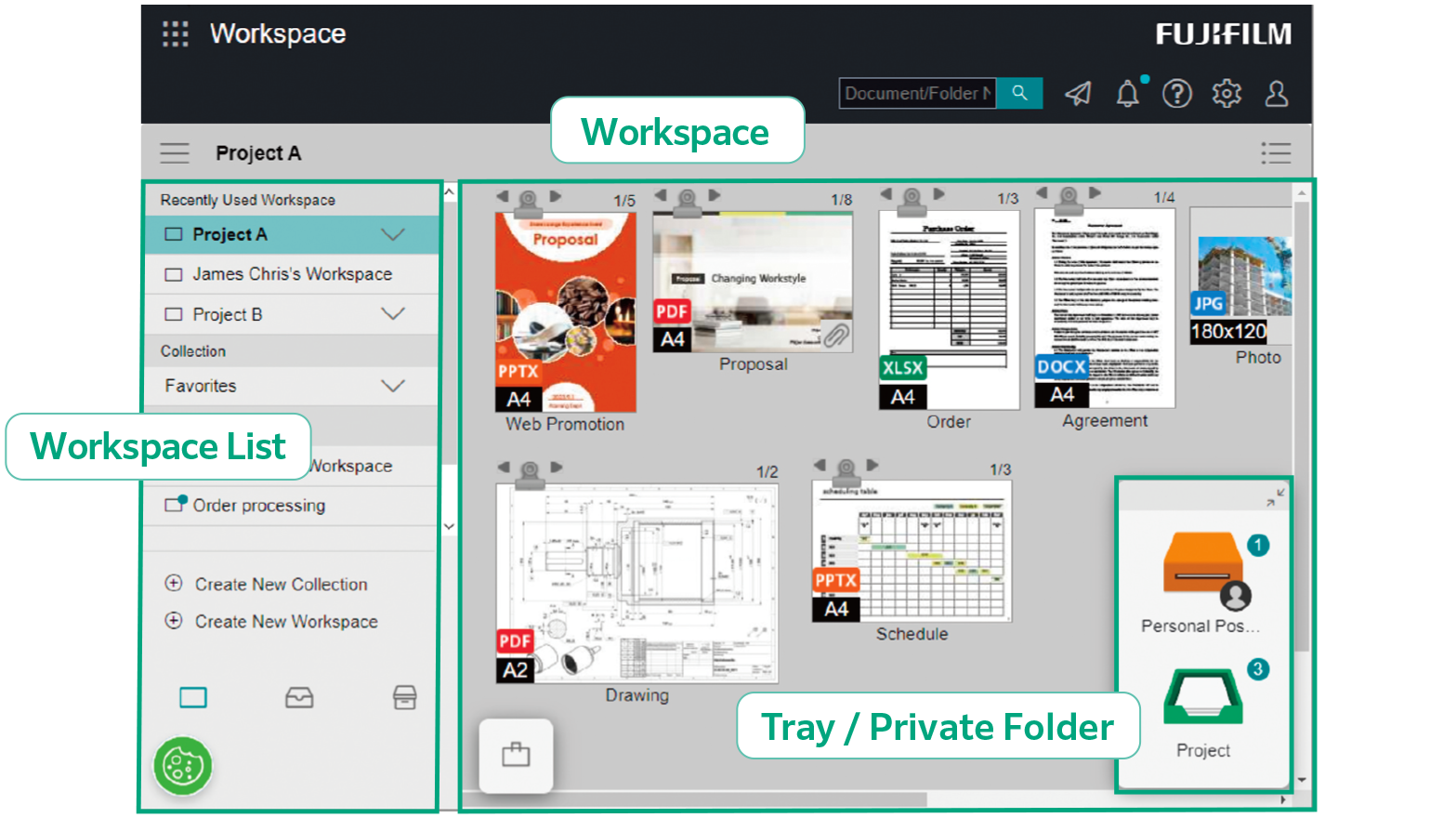
Workspace interface

Connecting People with Workspace, a Collaborative Space for Sharing Various Documents Relating to Work on the Same Platform

What is Workspace?

Workspace is a space to perform document-related tasks such as viewing, sharing and editing documents.

What is Tray / Personal Postbox?

With Tray and Personal Postbox, users can transfer information to one another with simple drag and drop operations.

Tray
Tray is used to deliver files among registered users.
Personal Postbox
Personal Postbox is used to deliver files to a specific user.

Register Members and Share Business Items

Effectively Share Task Status Updates with Team Members

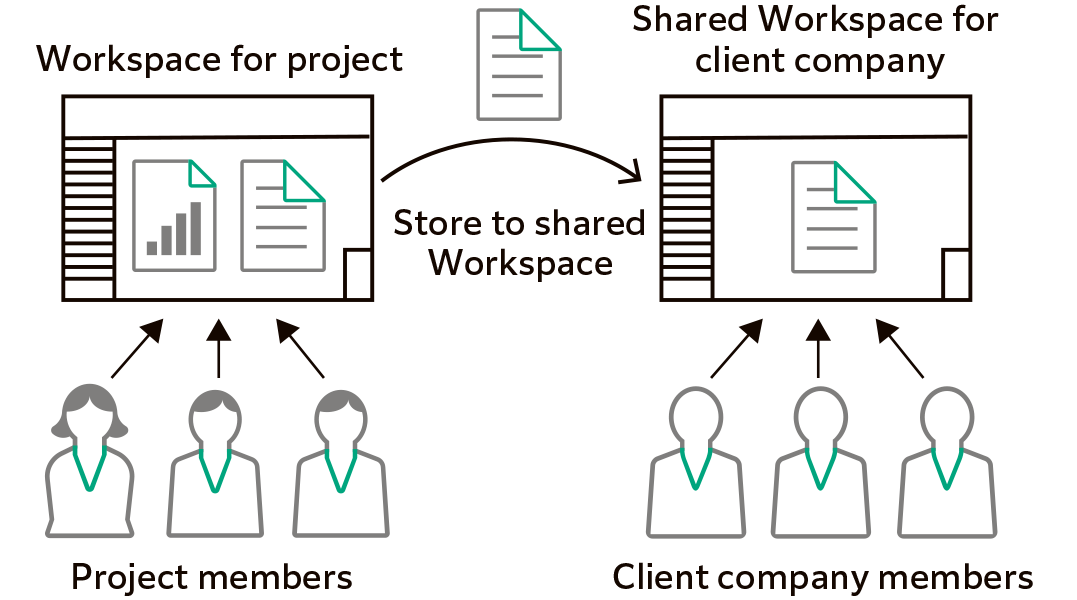
Share documents among organisations or with clients via Workspace to improve internal and external collaboration.

Create Multiple Workspaces for Specific Tasks

Create Workspaces for projects, purposes or clients, and assign members according to each Workspace.
Easily Locate Required Document in Various View Settings

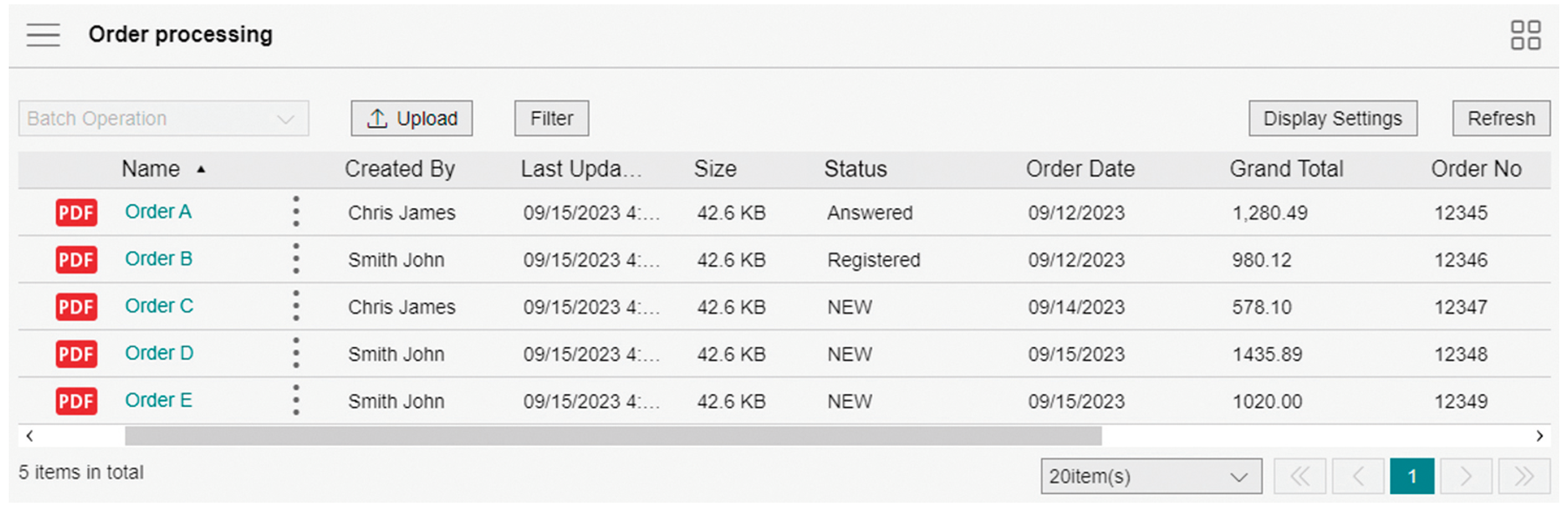
List View
List View
Document information is shown in a table so users can identify documents by client name, date, assigned person and job status.
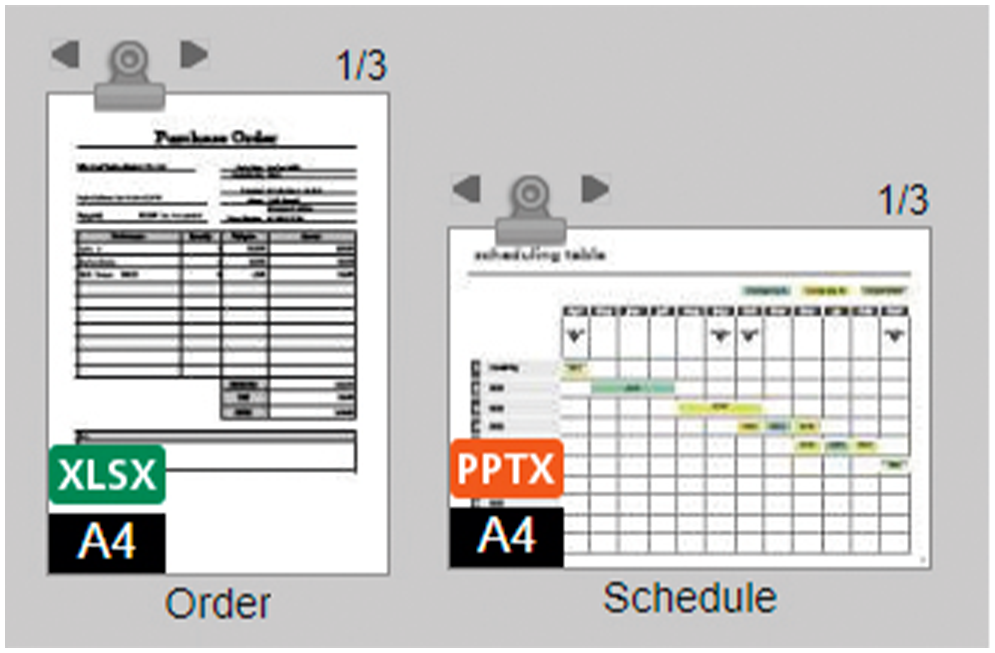
Thumbnails View
Thumbnails View
Workspace documents are displayed as thumbnails, making them easy to recognise visually.

Facilitate Better Communication with a Comments Function

Comments Function
Comments Function for Better Communication
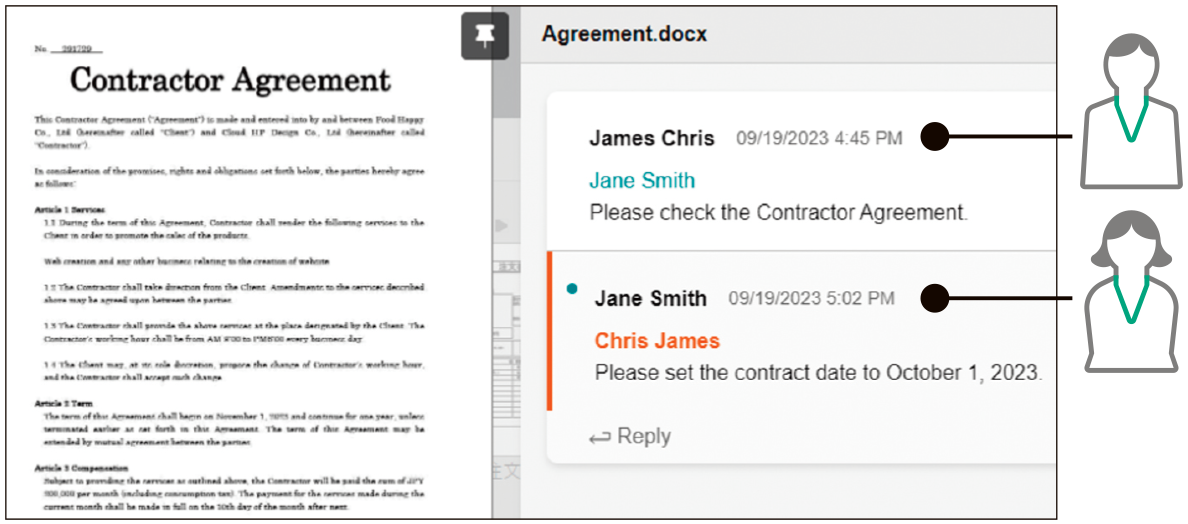
Users can comment on documents and notify other members without preparing attachment emails.
Deliver Documents
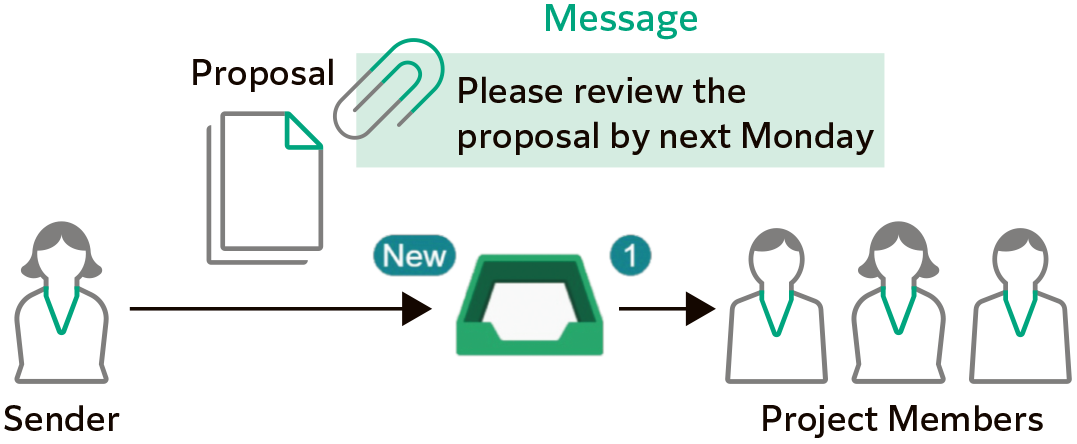
Deliver Documents with Tray or Personal Postbox
Comments and notifications can be sent when storing documents, reducing overlooked inbox items.

Supports Online Editing

Concurrent Editing
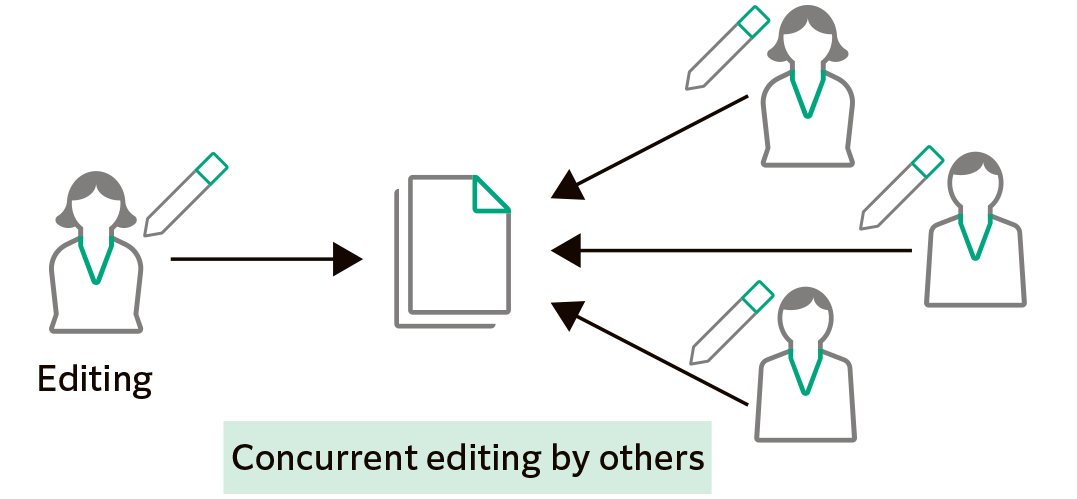
Concurrent Editing as a Team
Multiple online members can edit one document at the same time. Note: Requires Microsoft 365 contract.
Lock Setting
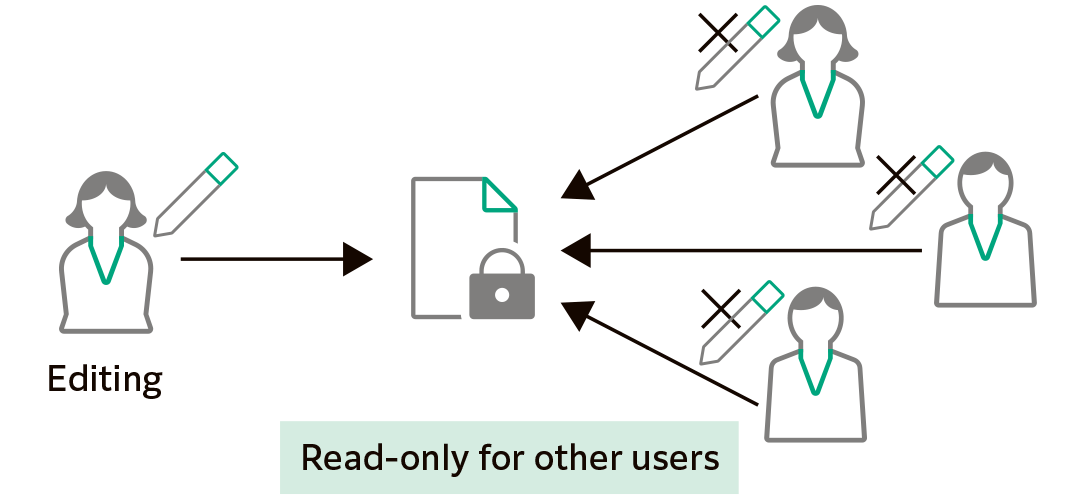
Prohibit Changes to Content Using Lock Setting
Locking a document prevents editing by other users.

Connecting Processes

Simplify manual processes and integrate them with existing systems to enhance workflow productivity.
Connecting Processes

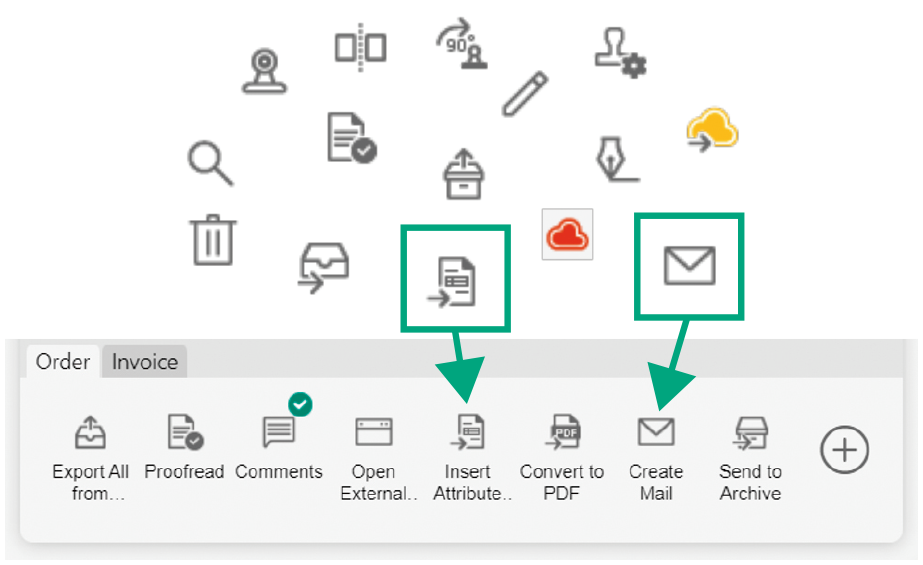
Task Toolbar Improves Activity Efficiency

What is Task Toolbar?

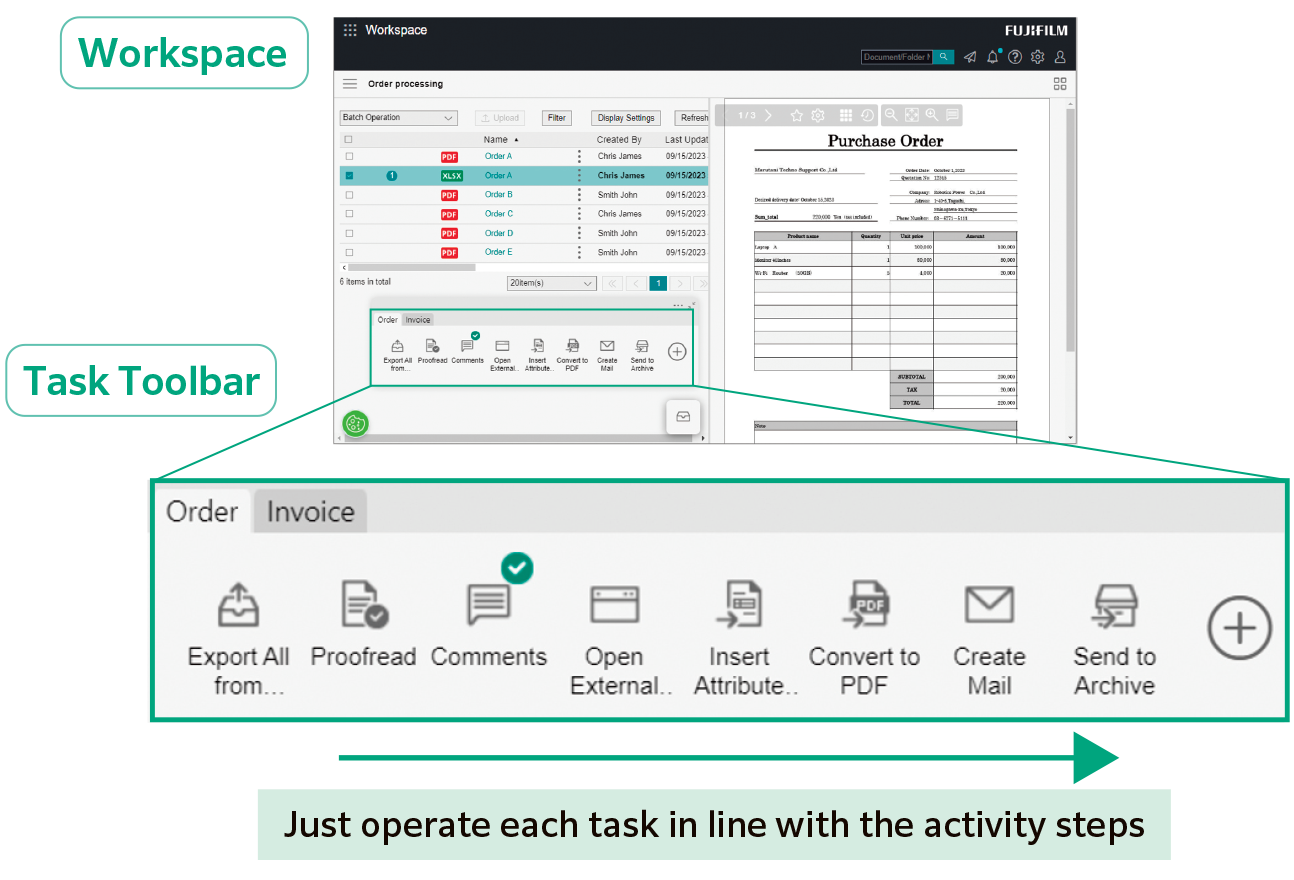
Task Toolbar allows you to register and manage processes according to your workflow, including importing and editing documents, calling a business system, and delivering or storing documents. Clicking the menu buttons in order helps process workflows efficiently and reduce errors and rework.

Required work processes can be registered to the Task Toolbar. Simplified workflow steps minimise errors and rework, improve work efficiency, and reduce oversight.
Shared Task Toolbar
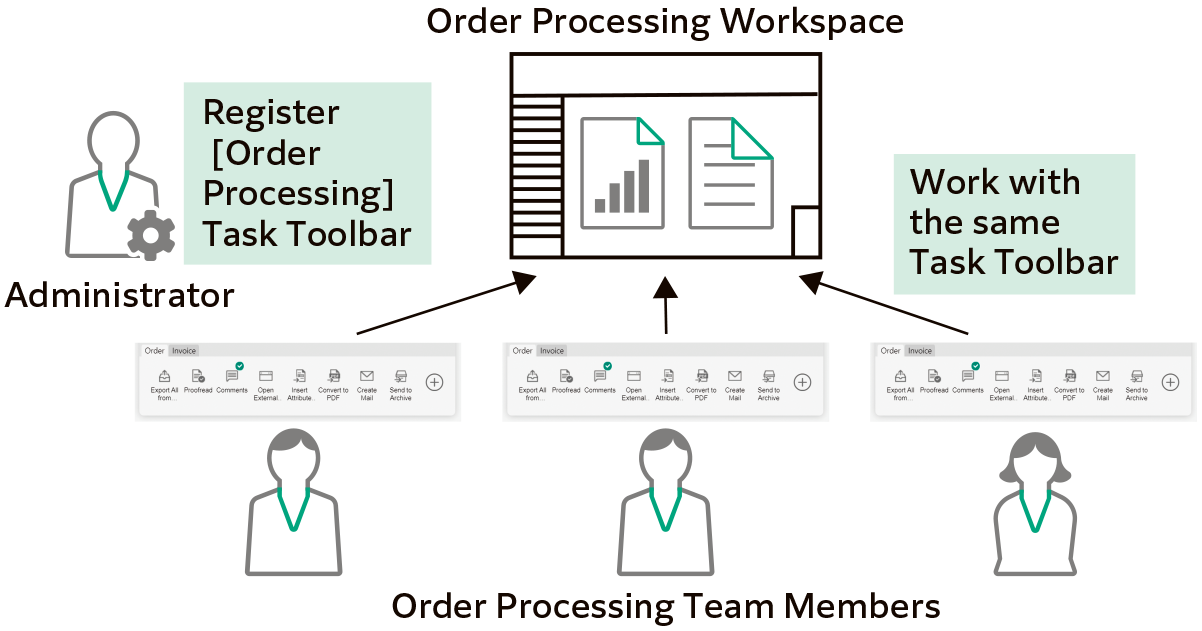
Task Toolbar can be shared among members who use the same Workspace.
Task Toolbar Tools
Tools can be arranged on the Task Toolbar to optimise button layout for each workflow.
Task toolbar sample

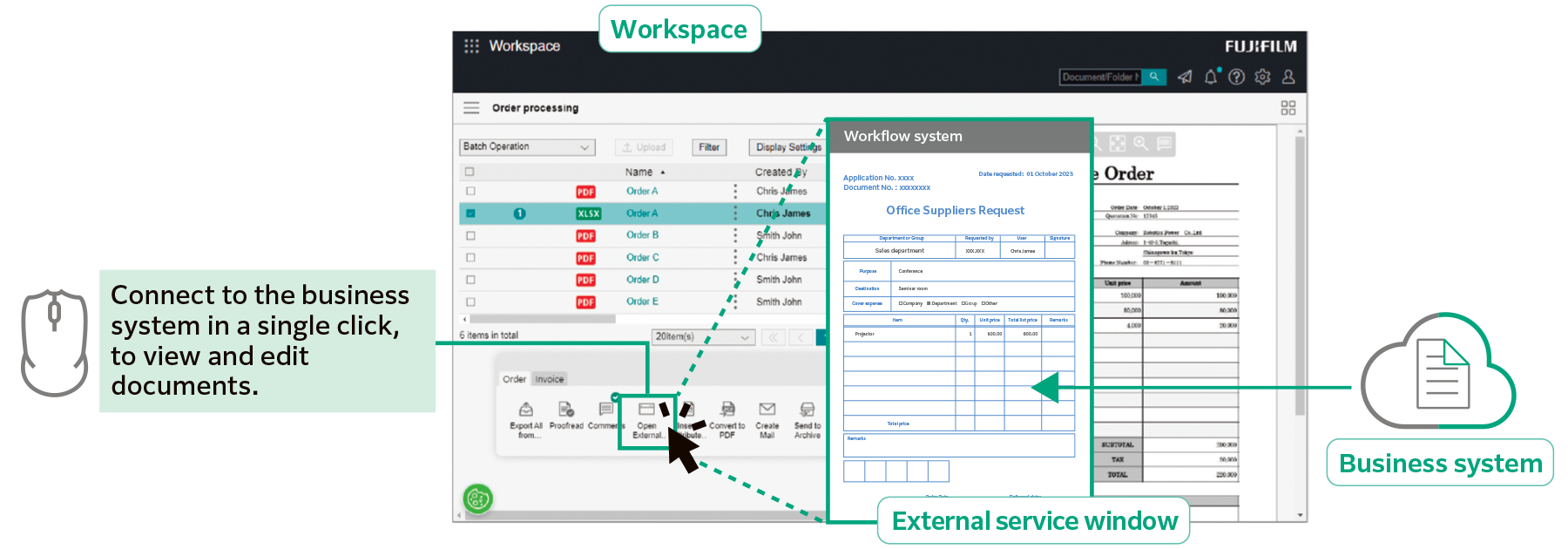
Link with Your Existing Business System Via the External Service Window

Operate via the External Service Window

A Task Toolbar button opens the External Service Window so users can access documents and data managed in business systems through a browser.

Seamlessly Links with Your Existing System

Register files, sign contracts, and post approval forms through the External Service Window to reduce manual data entry.
External Service Window

Linkage Tools

Linkage tools can be mounted on the Task Toolbar and operated with one click.

Links with Various System in CSV Format

Document information such as client name, date and person in charge can be extracted in CSV format and linked to business systems.
Packed with Various Editing Functions

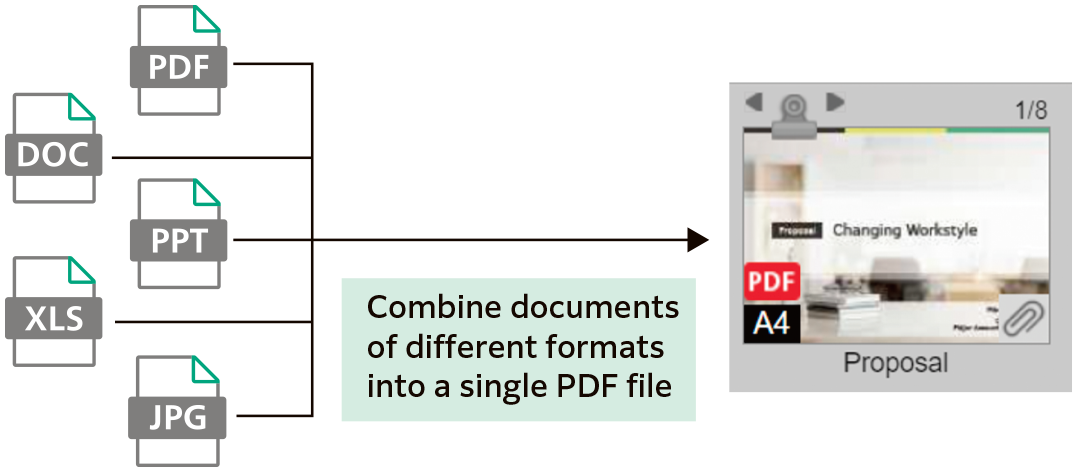
Consolidate Documents
Consolidate Documents of Different Formats
Bundle files in different formats into one file with drag and drop.
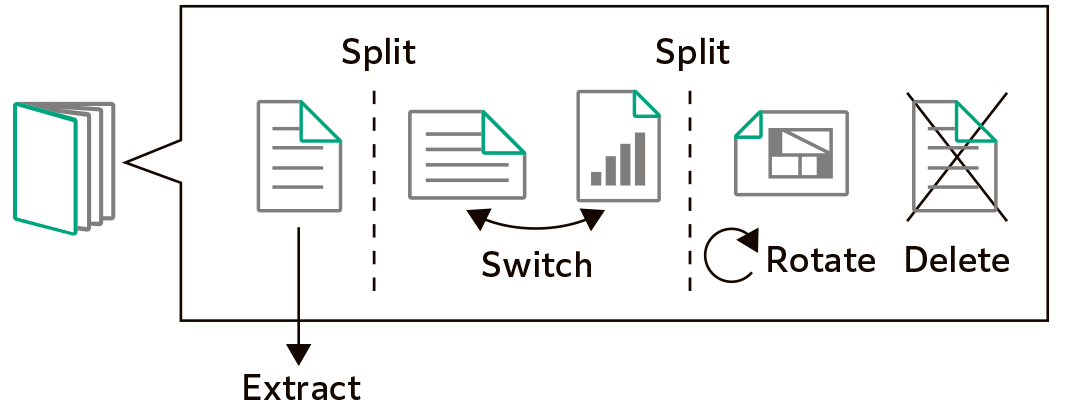
Editing Functions
Editing and Page Operations
Supports document editing operations for preparing business documents.
Stamps and Notes
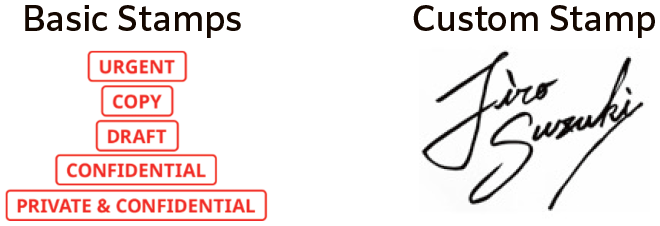
Attach Stamps and Notes
Basic stamps, custom stamps, notes and handwritten signatures can be attached to documents.

Connecting Information

Convert all documents to data to connect information from document importing, utilisation, management, recording and distribution.
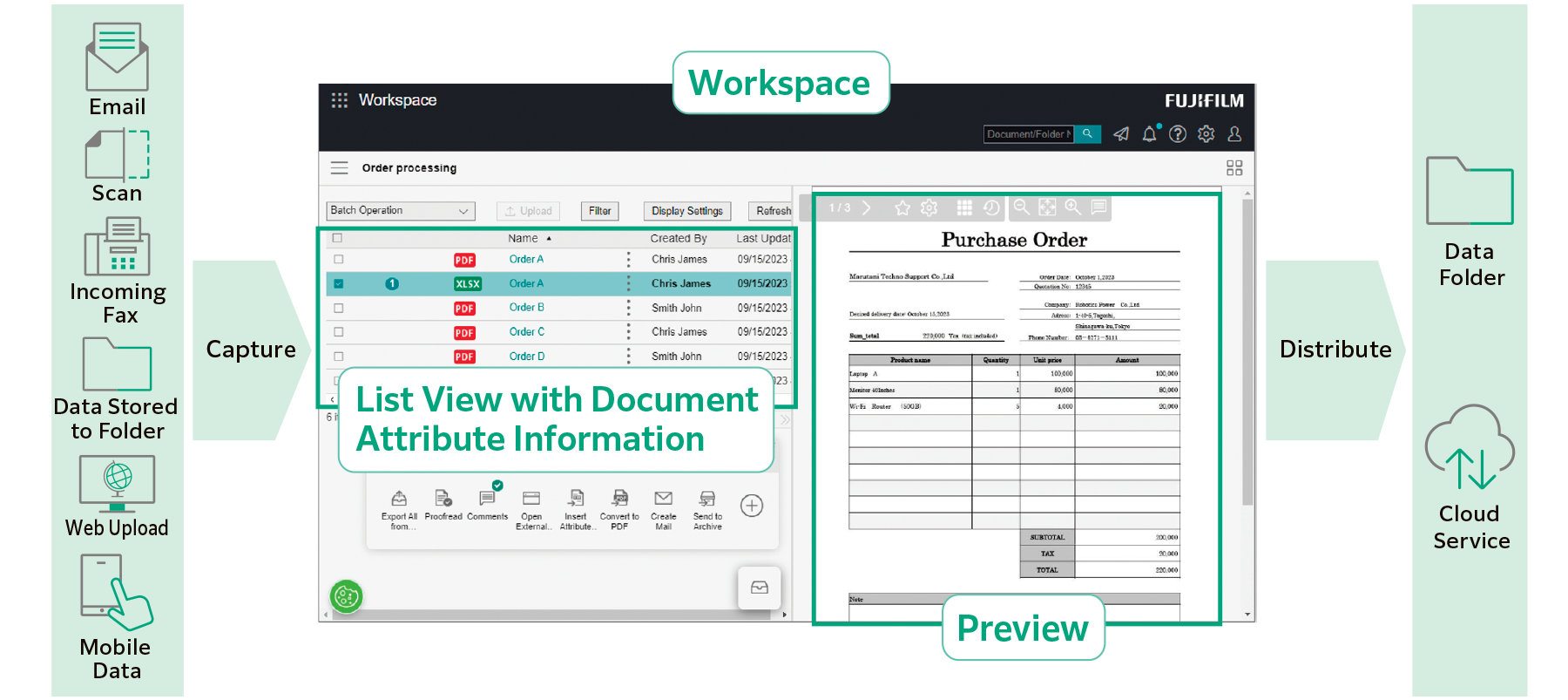
Document processing workspace

Importing Data from Various Sources

Import data from paper documents, incoming faxes and emails, then convert it to digital data for use in different systems. Data can be listed by document attributes such as company name and date to prevent overlooked jobs.

What is an Attribute of a Document?

An attribute is information associated with the document, such as author and date. When importing a document with FUJIFILM IWpro, attributes are stored in a database for search.

Documents are Automatically Captured and Distributed

Automate the Process of Capturing Documents Using Rules

Choose templates with predefined document processing to automate importing, data entry and sorting based on your workflow.
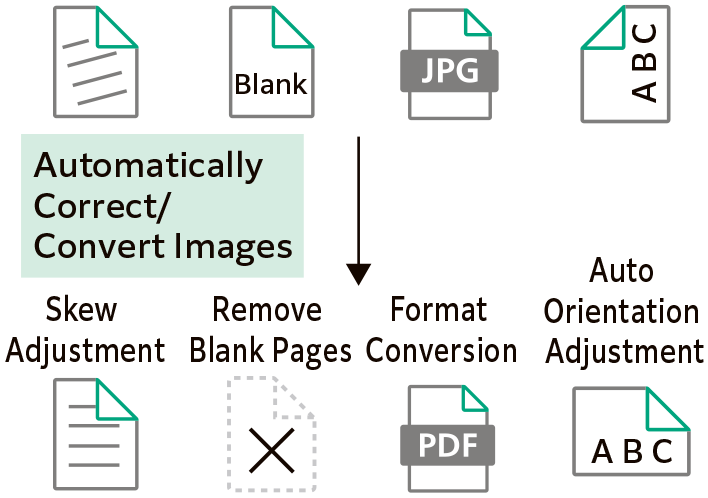
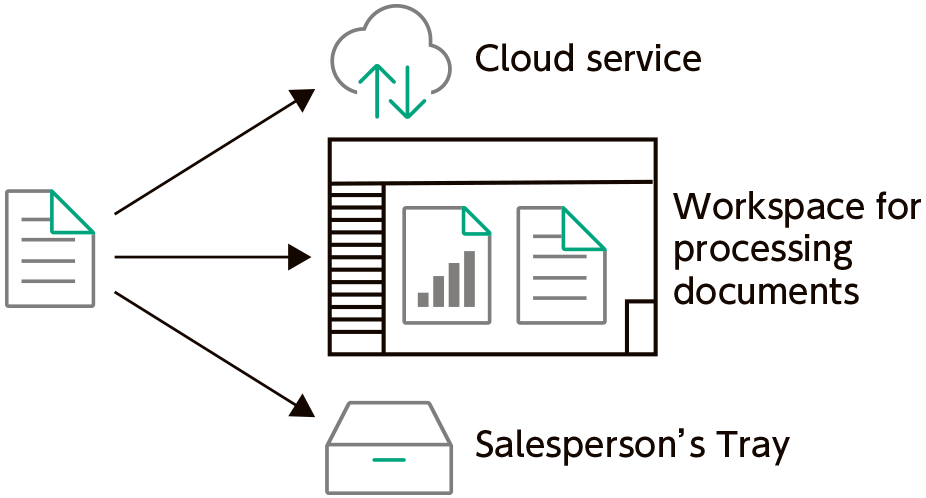
Image Adjustment
Image Adjustment
Format conversion, skew and orientation adjustment, and blank-page removal make documents easier to handle later.
Rule-based Automatic Distribution
Documents can be automatically distributed by preset rules, customer or job type.

Extract Text Data with OCR Automatically

OCR extracts text data from documents automatically. Extracted text is saved and can be used for searching and other purposes.
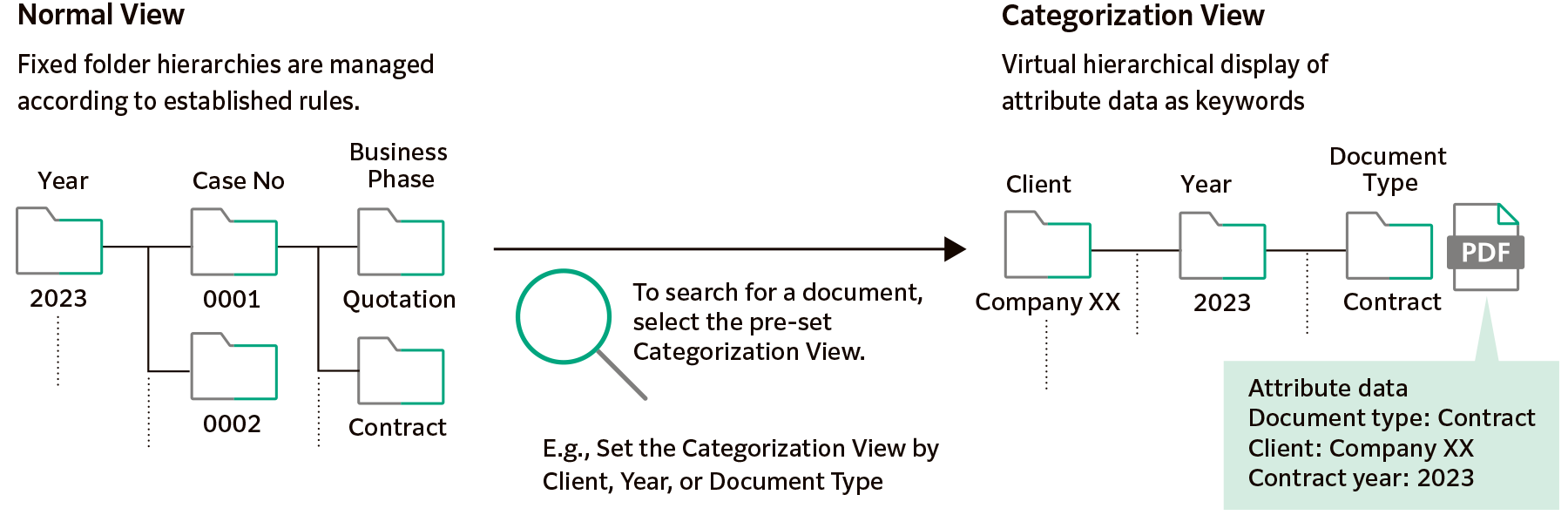
User Friendly Document Management and Access

Categorization View

Categorisation View Helps to Find Your Document

In addition to standard folders, Categorisation View displays a virtual folder structure from specified attributes, helping users find documents based on how they search.

Fully utilise Various Information Using Diverse Search Functions

Users can search and use document information through stored attributes and searchable document data.

Protects Critical Documents with Robust Access Control Mechanism

Critical documents are protected by access rights for each document or folder, including permissions for viewing, revising, modifying and displaying version history.

Clear Insights of Business Process and Progress

Visualise Work Process and Progress

By defining required actions and information for each workflow step, progress and output management can be centralised.

Automatic Notification of Required Activity

Notifications can be sent automatically for job status, processing requests and approaching deadlines.
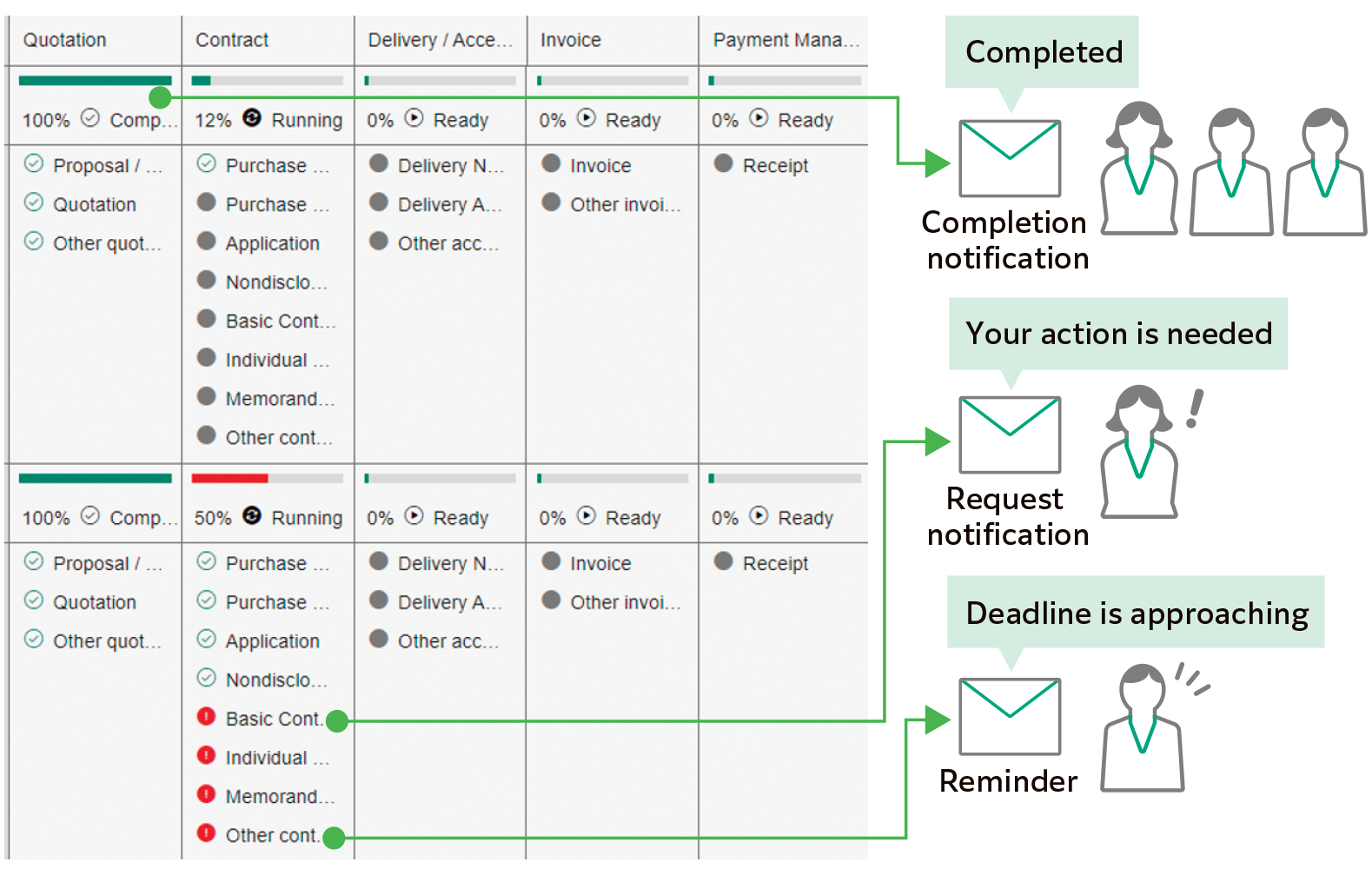
Business process and progress overview

Connecting Places

Connect every workplace with a system that is accessible from anywhere, regardless of physical location.
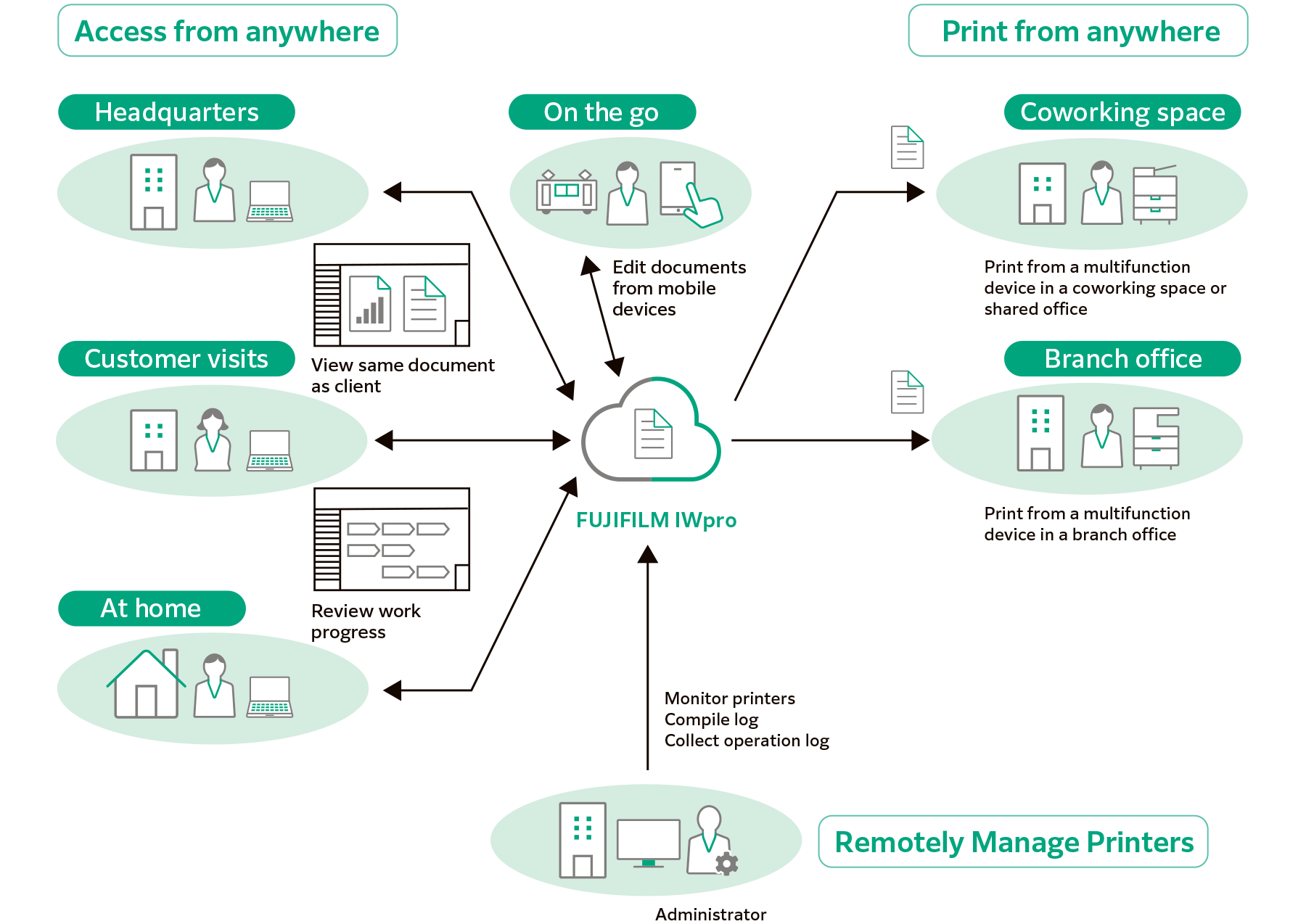
Connecting Places

Utilised a Web Browser Interface to Establish a Secure Environment Accessible from Various Locations and Terminals

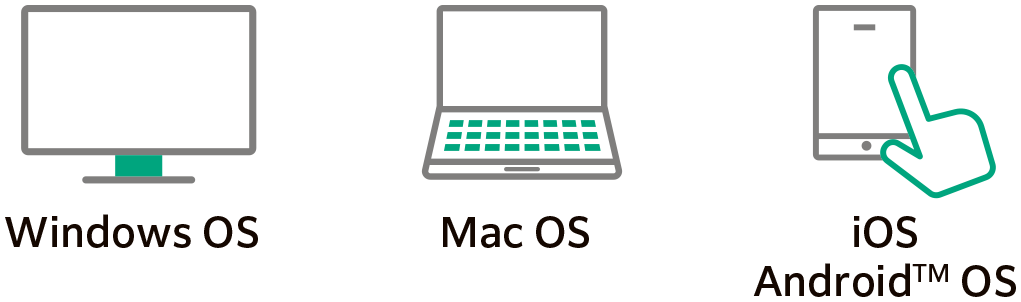
Various terminals
Accessible from Various Terminals
Supports access from Windows OS, Mac OS and mobile devices including iOS and Android OS.
Various places
Accessible from Various Places
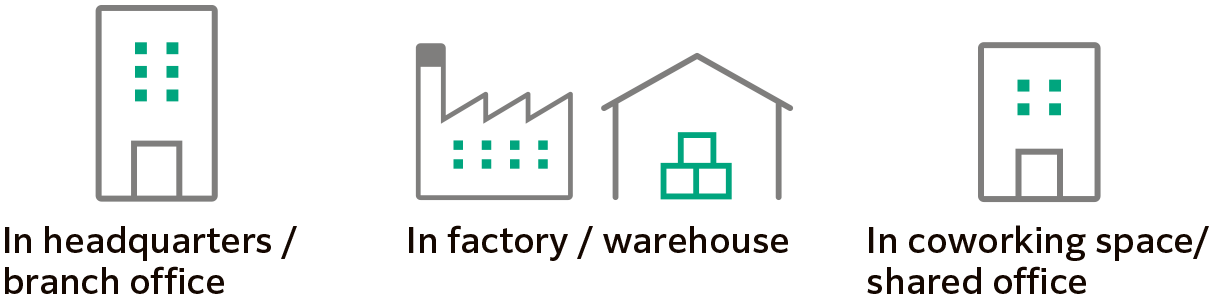
Accessible through a web browser from locations with internet service, including branch offices and on the go.

Print Anywhere

A high-quality and secure print environment is available regardless of whether users are inside or outside the office.
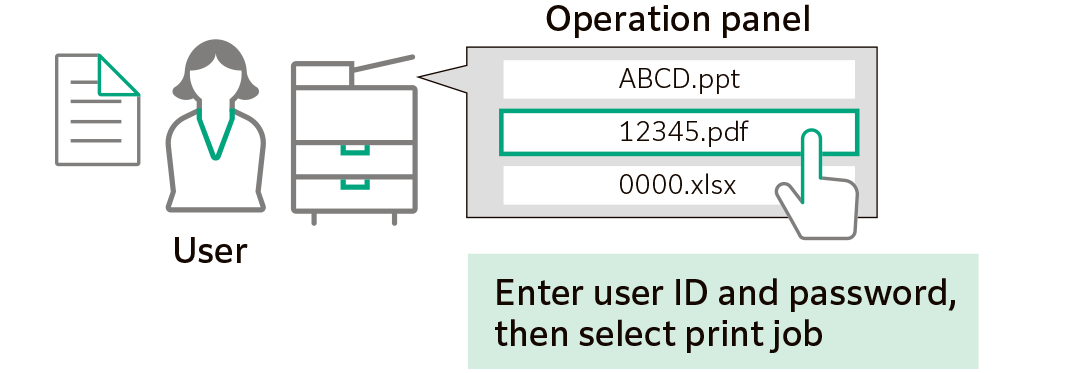
Secure Print Environment Anywhere

On-demand Printing
On-demand Printing While On-the-Move
Users can select and print cloud-stored documents from multifunction devices outside the office.
Shared Users
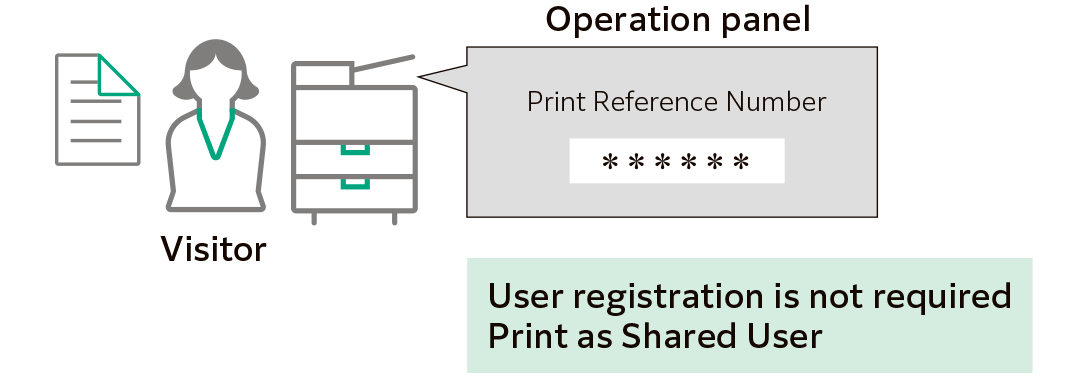
Print with Shared Users*1
Temporary users such as visitors can print without user registration by uploading print data from an administrator-provided web link.
Offsite Print
Offsite Print
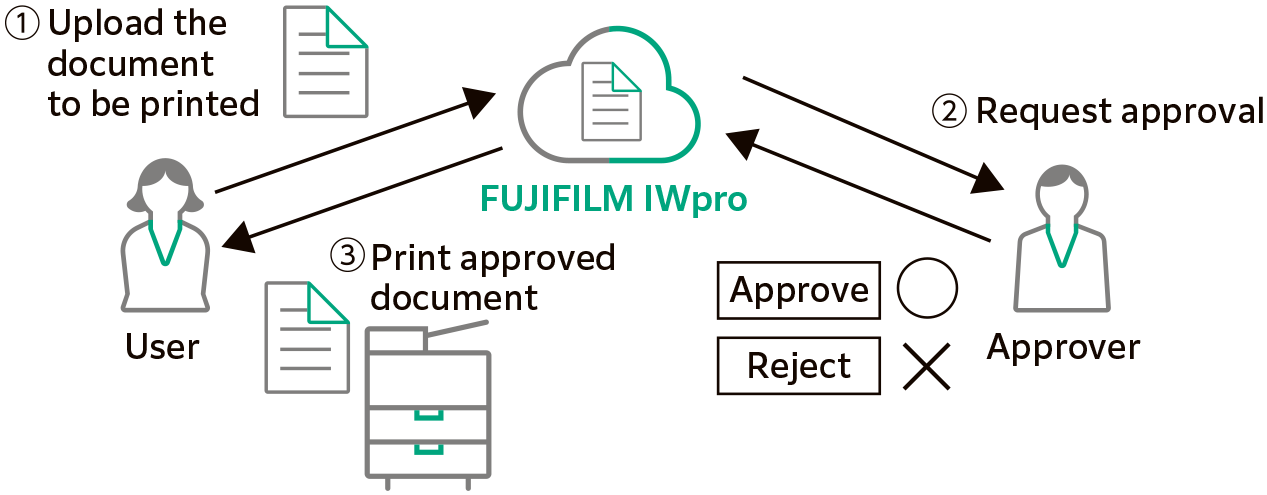
Approval printing starts only after supervisor approval, helping prevent information leaks from off-site printing.

*1 Option

Centralised Printer Management Helps to Manage Usage Status Remotely

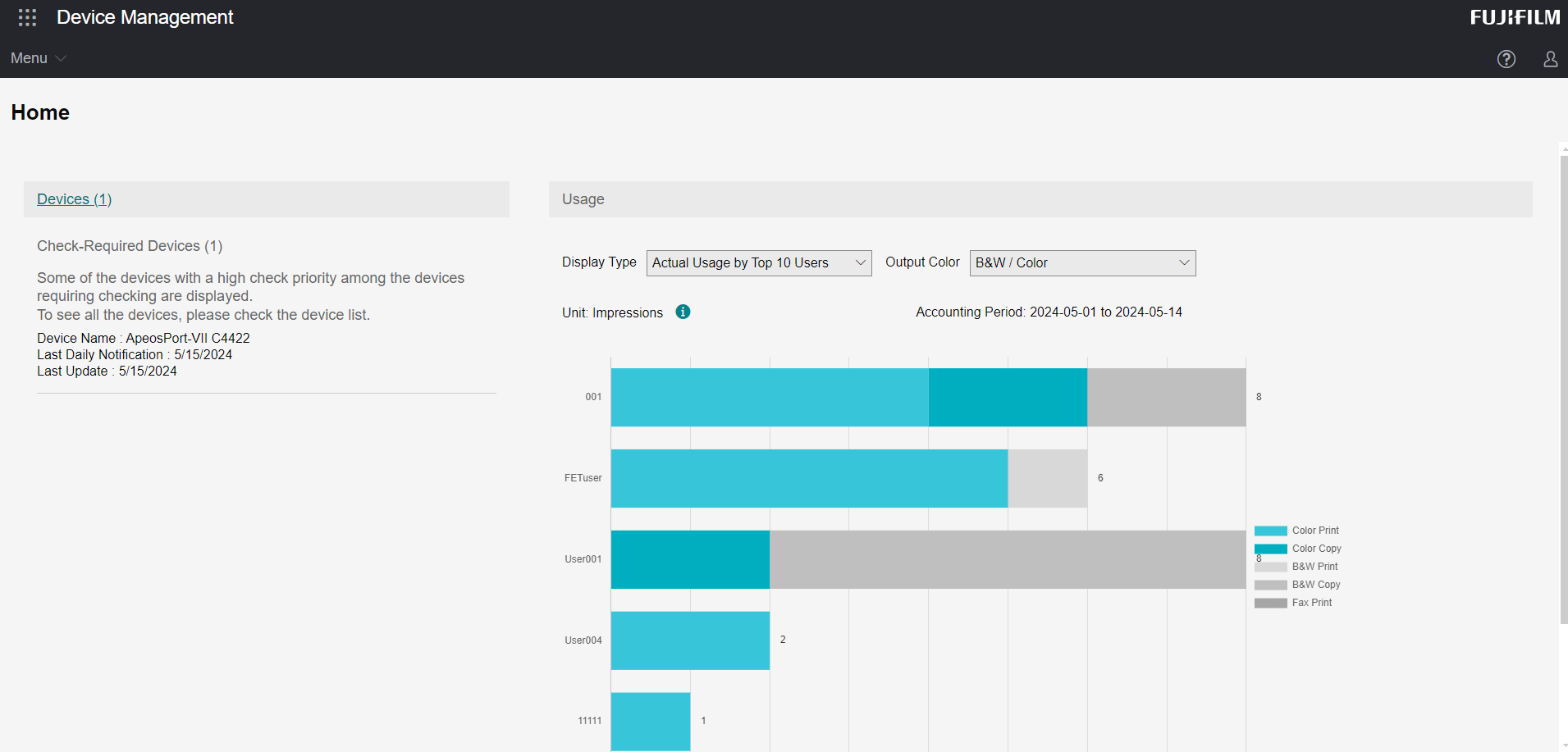
Usage Analytics
Automatic Compilation and Display of Usage Analytics
Administrators can manage printer usage status from a web browser, reducing burden and helping lower total cost of ownership.
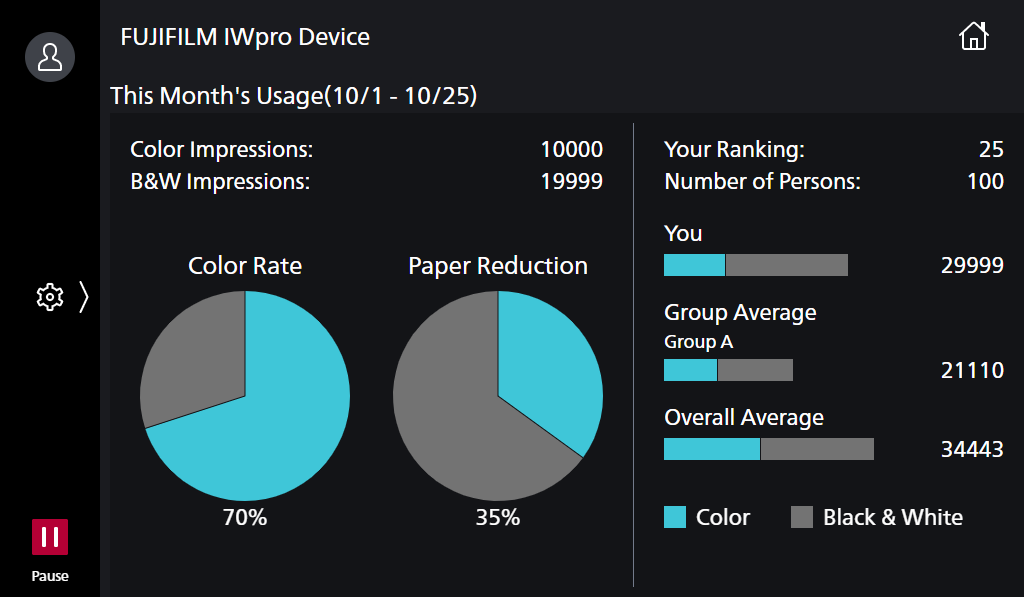
Display Usage Status
When Printing, Display Usage Status
The multifunction device panel can display the user's usage status, including printed page counts.
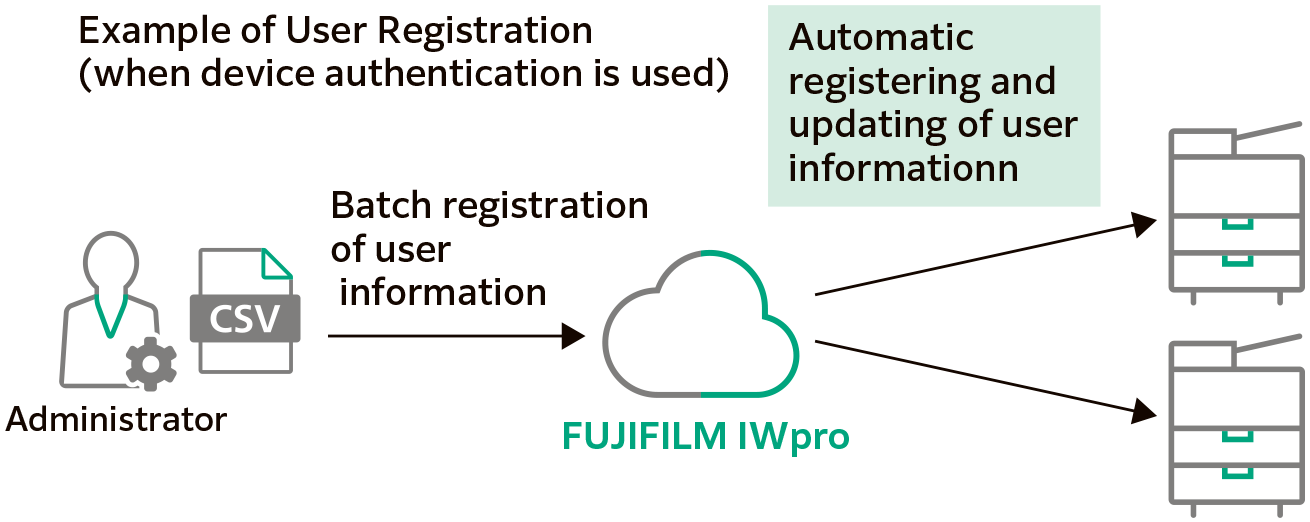
Simplify User Registration
Simplify User Registration for Multiple Devices
Supported printers can automatically register users and optionally synchronise with Microsoft Entra ID*2 and LDAP servers.

*2 Former name: Microsoft Azure Active Directory (Azure AD)


 Inquiry - FUJIFILM IWpro