
Visualise
Advanced design and visualisation from the user’s perspective.
+603-7806 3111 (Hunting Line)
enquiry@coemarketing.com.my


Share:


Smart, powerful document communication
Most businesses are faced with increasing numbers of multifunction devices, printers, faxes, and the growing need to utilize mobile devices. The increasing number of devices and variety of work styles lead to issues such as extra management work, risk of information leakage, increasing costs, heavy printing activities and longer work hours.
ApeosWare Management Suite 2 is a software that can manage devices and their usages, and provides integrated authentication, print output, log accounting, and document distribution. It promotes comprehensive document management to provide high value to businesses.
Advanced design and visualisation from the user’s perspective.

Efficiently manage life cycle from creation to disposal.

Adapt to the ever-changing business environment to improve processes.

Extended functionality with enhancement options.
See how easy it is to use and adopt this software solution with a free 60-day trial.
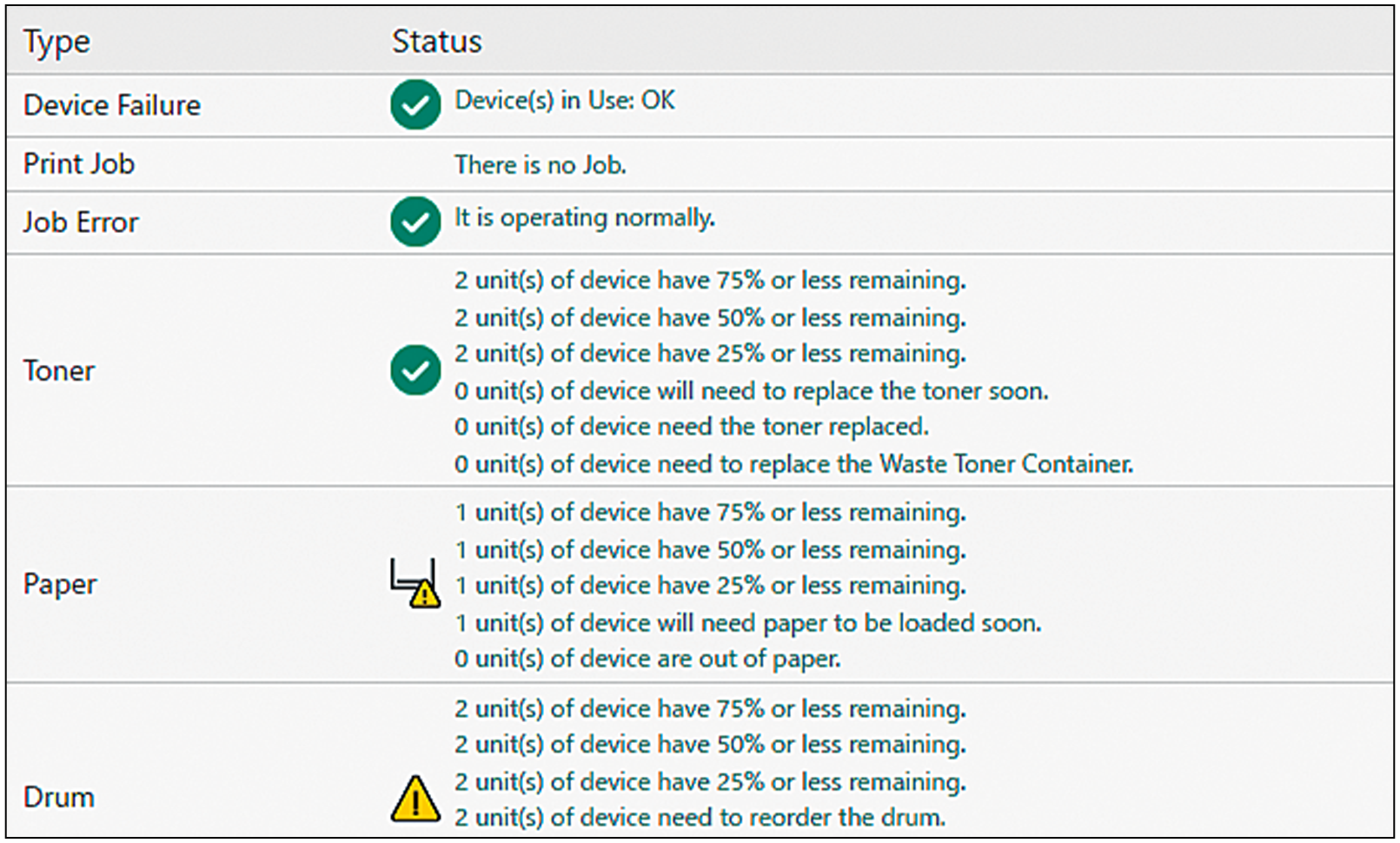
Web-based administrator’s UI provides easy-to-understand screens with abundant information on the dashboard. The UI facilitates administration by providing centralised management of the device consumables status such as toner, drums, and paper.

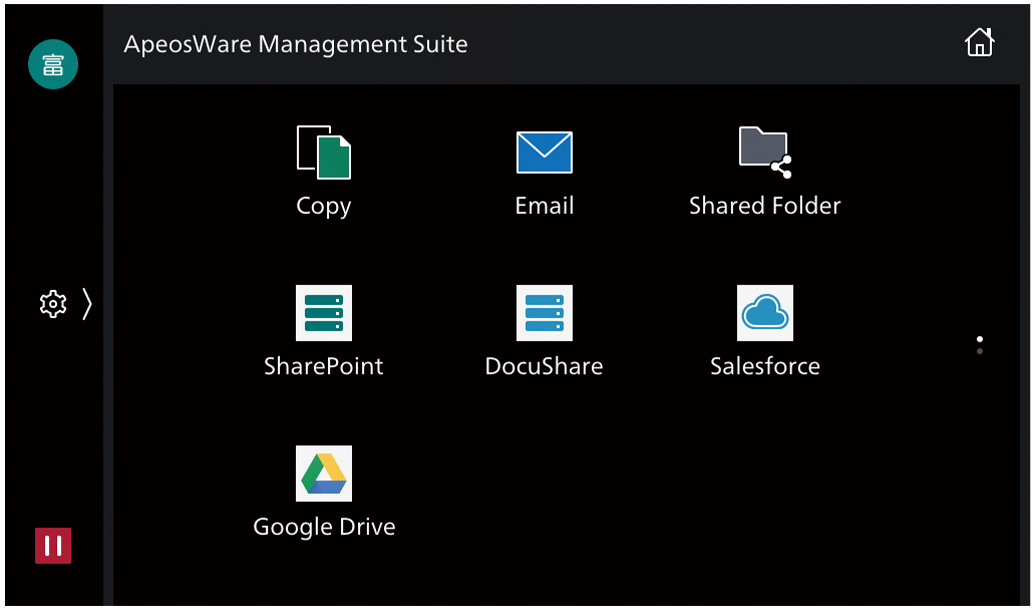
Menus for the ApeosWare Management Suite 2 are provided on the control panel of the devices. You can quickly access the operation service on the device. These features allow administrators to monitor document handling activity by individual users as well as groups. Devices for output and scanning using QR codes can also be set up easily.
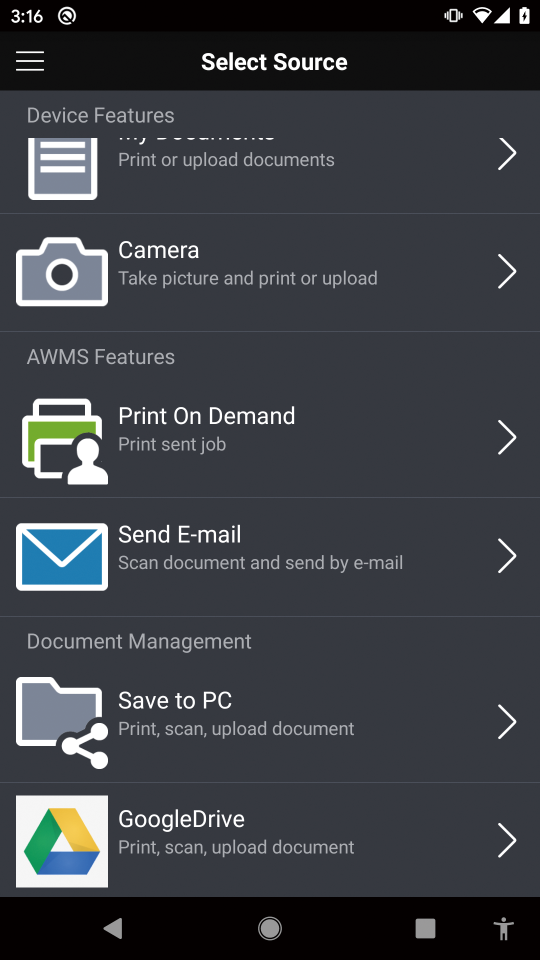
A specialised program is provided for mobile devices. Devices, users, and setting information specified on ApeosWare Management Suite 2 are applied to mobile devices to allow direct output and scanning by intuitive operations from the user interface. Devices to output and scan by using QR codes can also be setup easily.
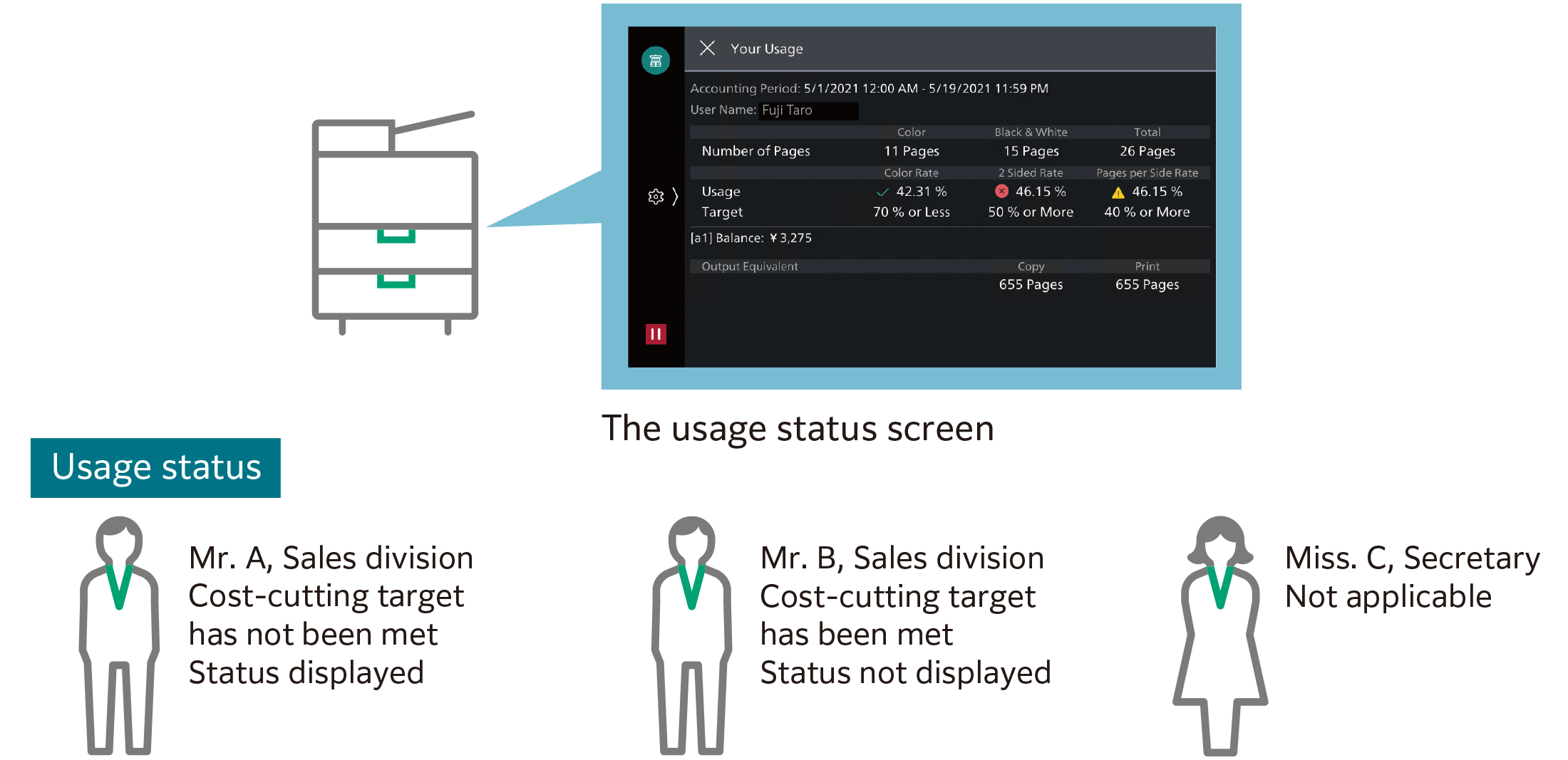
Individual usage status can be displayed in monetary amounts. You can also show each user's gap from administrator targets for colour printing, 2 sided printing, Pages per Side, and so on. This information can be hidden for those who have met the targets. It reduces the burdens of the administrator while raising cost-consciousness of users.
A wide-range of reports can be created on the web browser using collected job log information such as the users of devices, sheets that are output, paper sizes, and time. The report function has been dramatically enhanced in ApeosWare Management Suite 2. A variety of reports can be created across five categories.
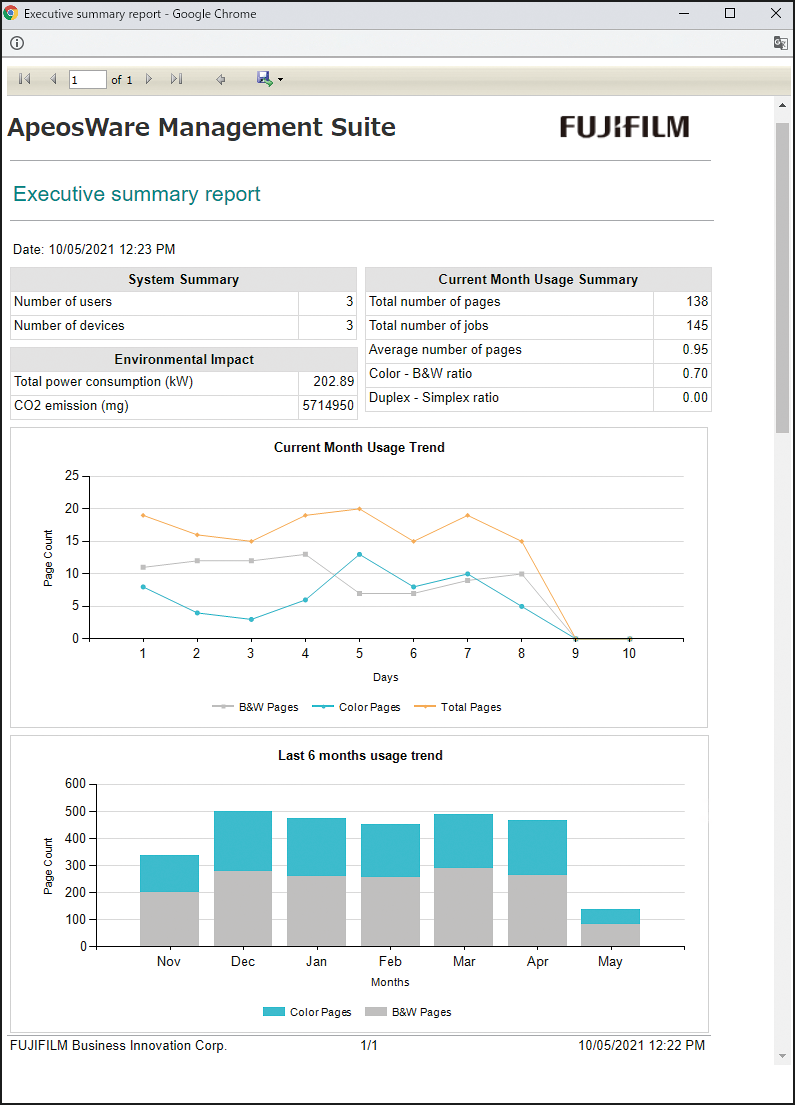
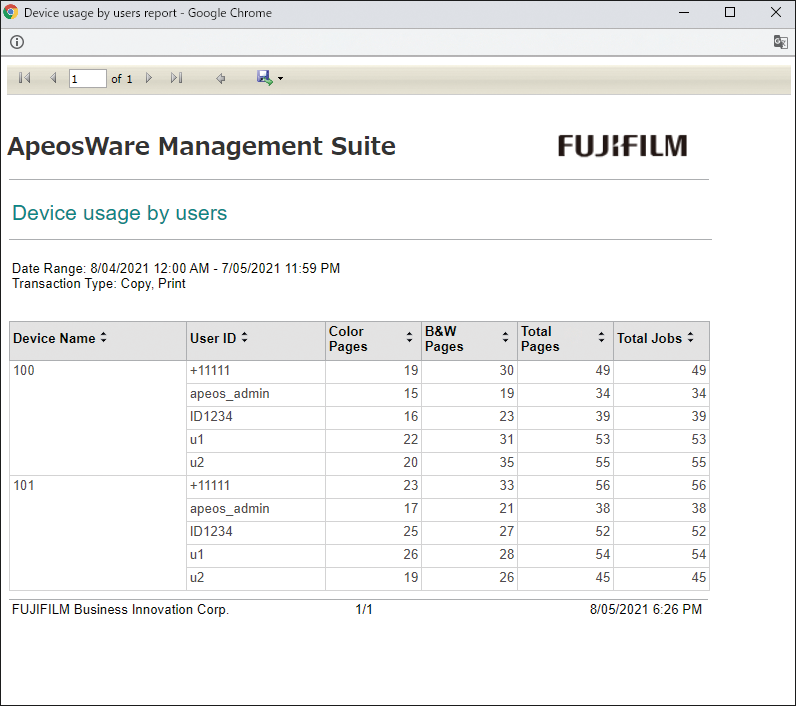
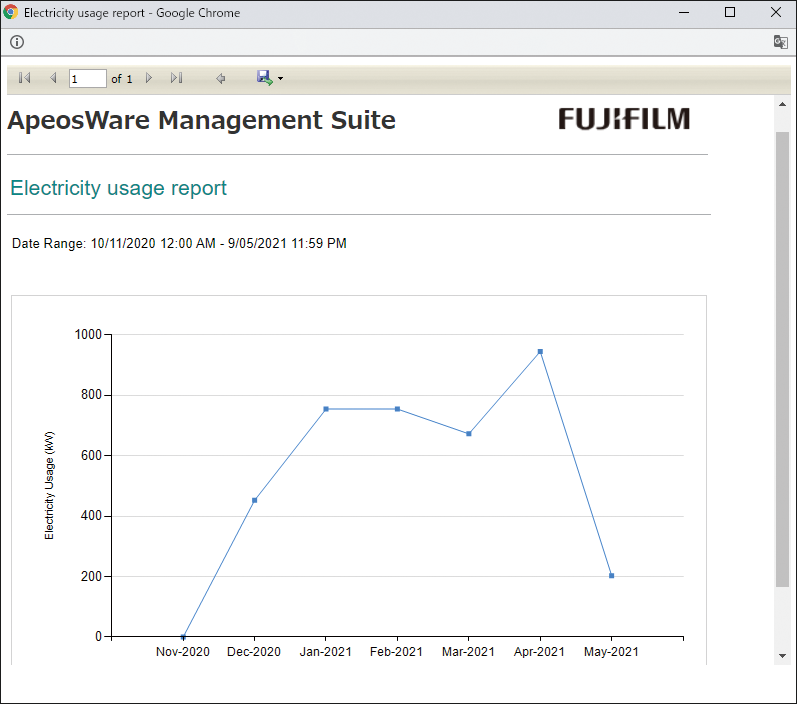
*1 Optional.
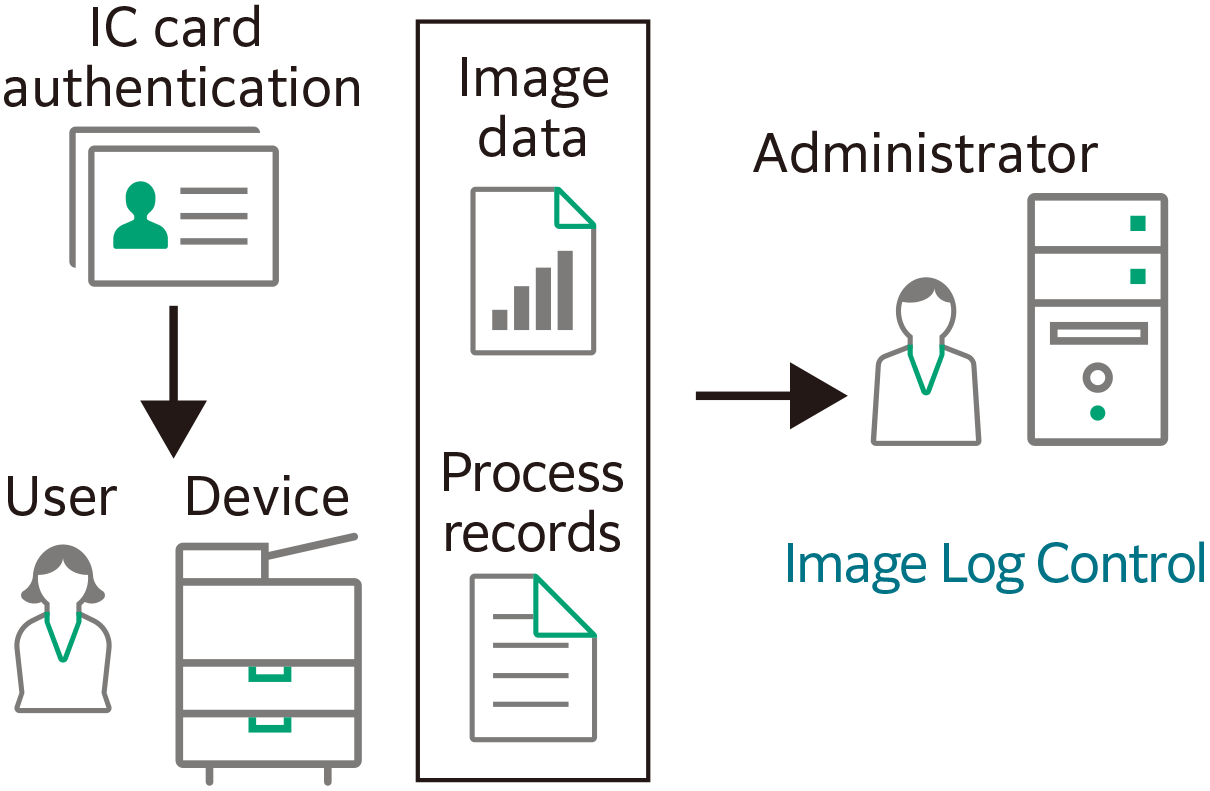
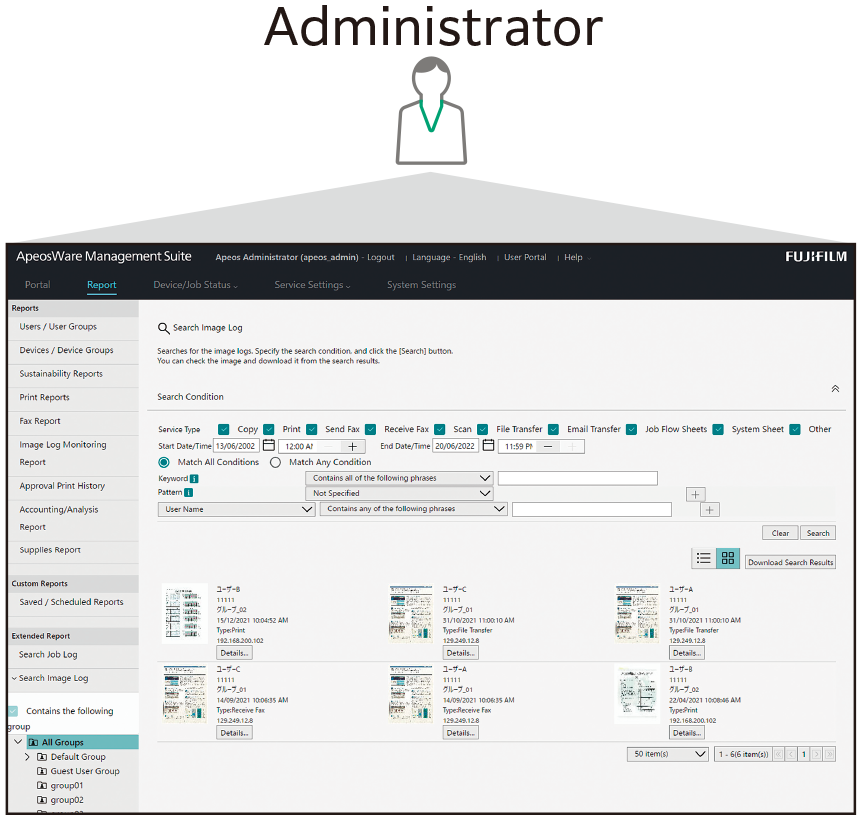
Any documents that have been copied, printed, scanned or sent / received by fax will be stored as images along with relevant process details and device information. These features allow administrators monitor document handling activity by individual users as well as groups. Combined with authentication functions such as device passwords and IC cards, user activity is easily tracked.
When classified documents containing personal or confidential information are leaked, you can find the responsible party by searching job logs and document content obtained from automatic OCR*2.
*2 Optional.
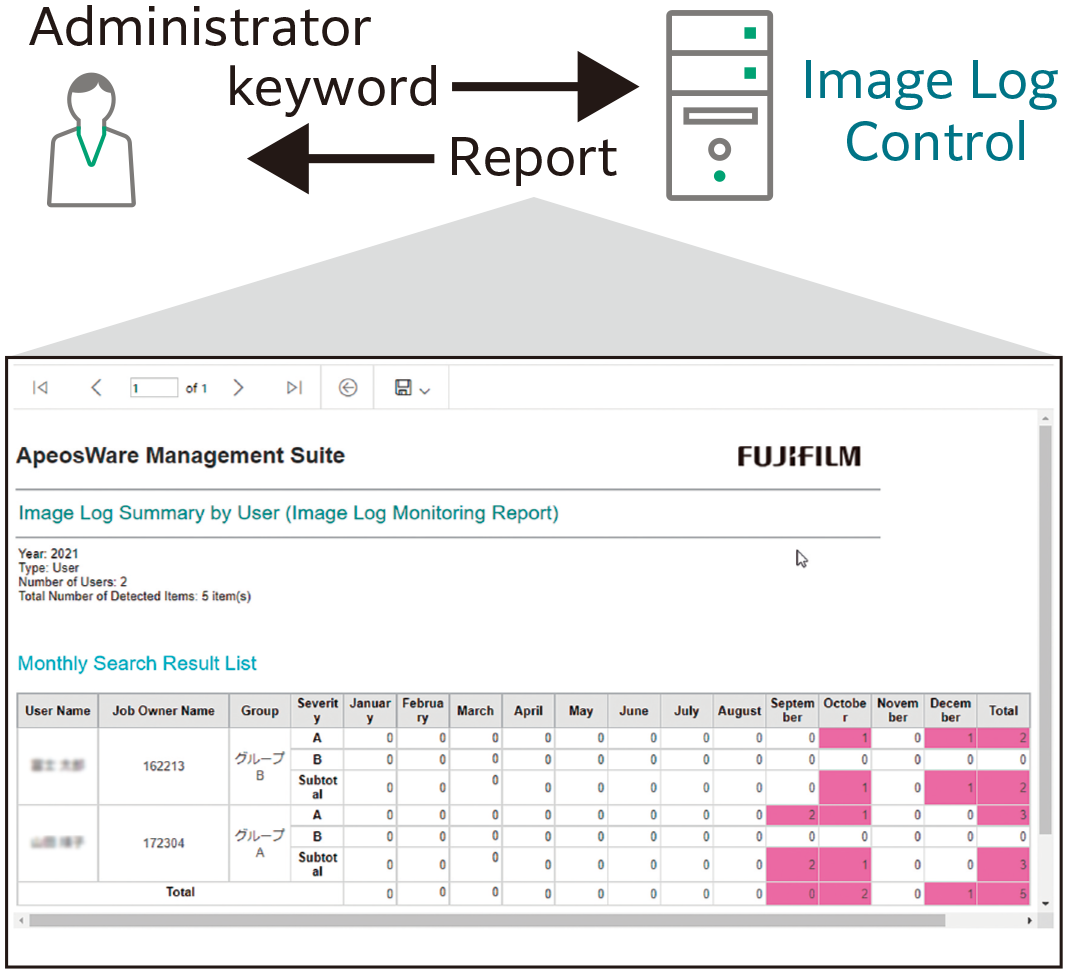
Pre-programme search criteria or keywords and Image Log Management searches relevant documents automatically. Reports are generated and sent to administrators by e-mail, saved for reference, categorised by users or groups, assigned importance, and displayed by year or month.
*3 Optional.
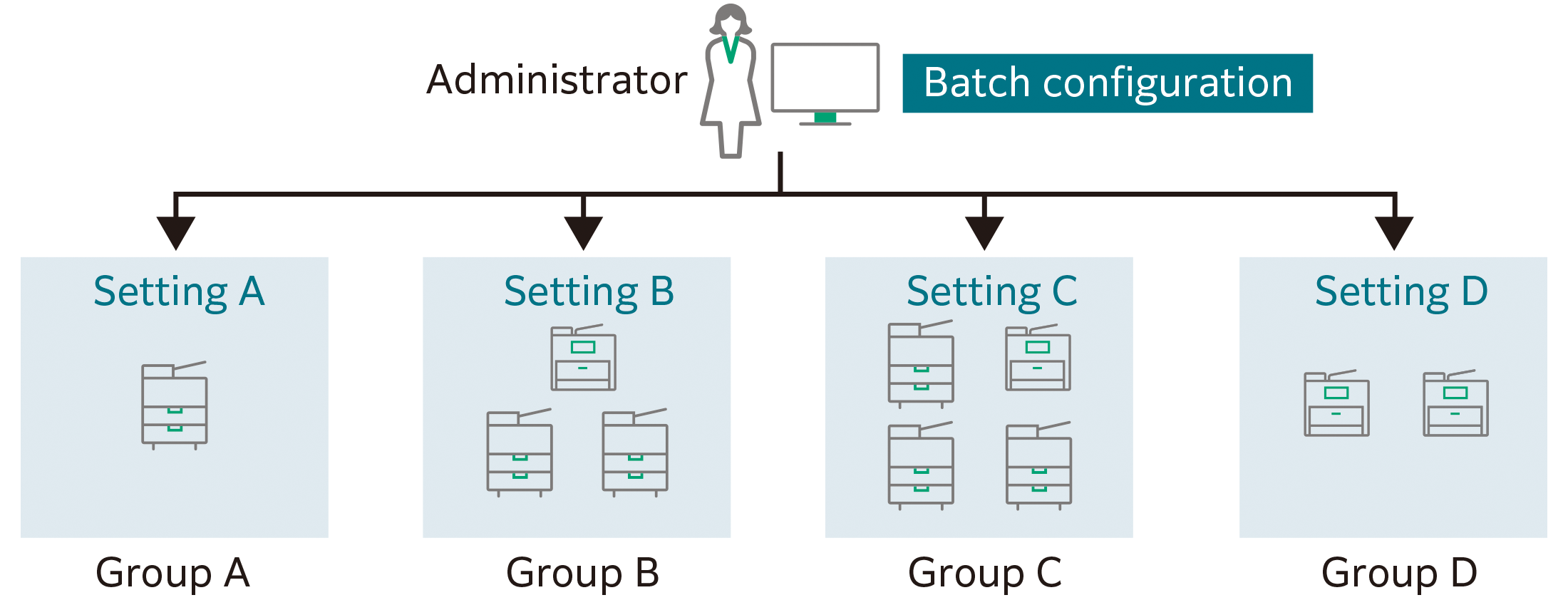
Device groups can be created and devices to manage can be registered to the group. It is possible to centrally manage settings information and batch configure device settings. Resetting devices is easy even in case of a device malfunction.
This function monitors device status and sends notifications by email. Problems such as lack of paper or paper jams can be handled in a timely manner.
Buttons on the control panel of devices can be registered in batches from the server to drastically reduce installation time.
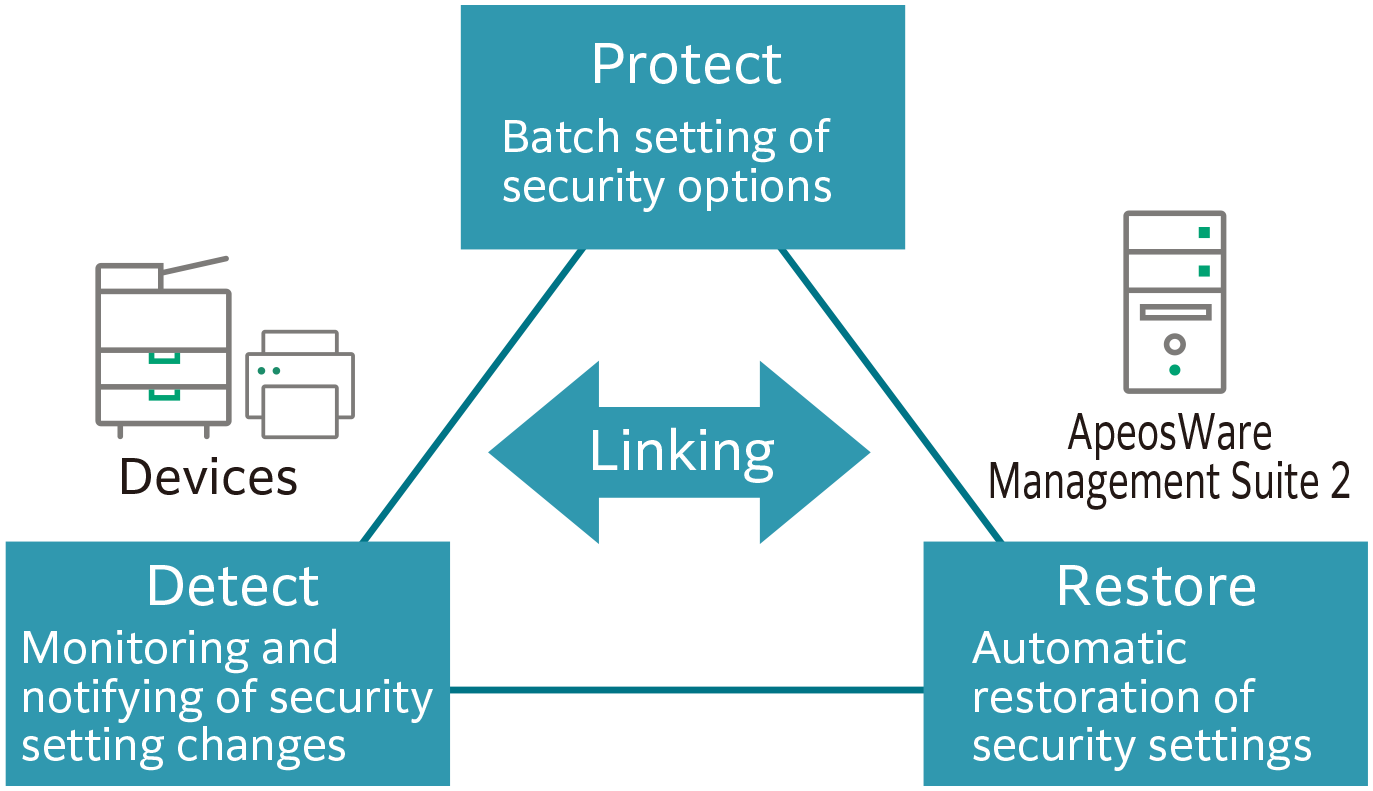
Security monitoring setting provides batch setting of security options of multifunction machines, printers, and other devices. This function detects unintended setting changes and notifies administrators. It also periodically and automatically restores device settings to maintain the required security level.
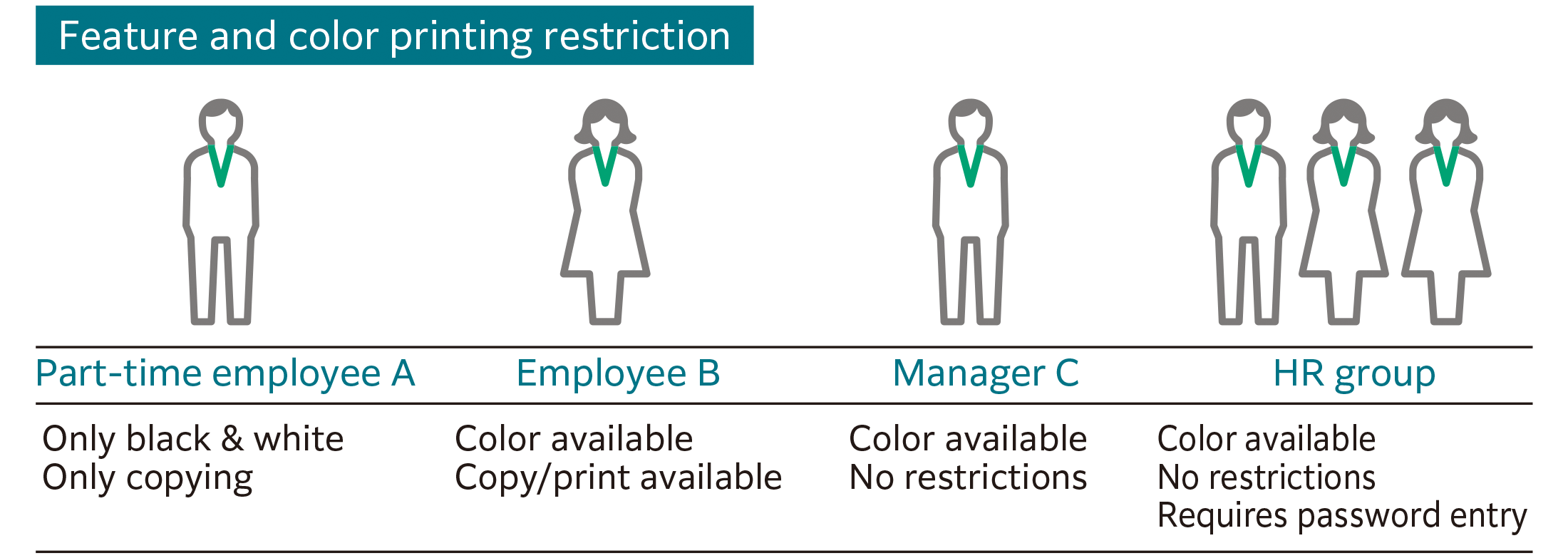
This function authenticates users when logging into devices to identify who is using the device before it is used.
Device features and color printing can be restricted by individual, department, or position. This reinforces security and promotes effective TCO reduction.
User information can be imported from LDAP, SQL servers, Active Directory, and CSV files for efficient registration and management.*4
*4 Users can register their card IDs from the control panel of multifunction devices or their computer.
*5 Entry Edition requires Cost Recovery Option.
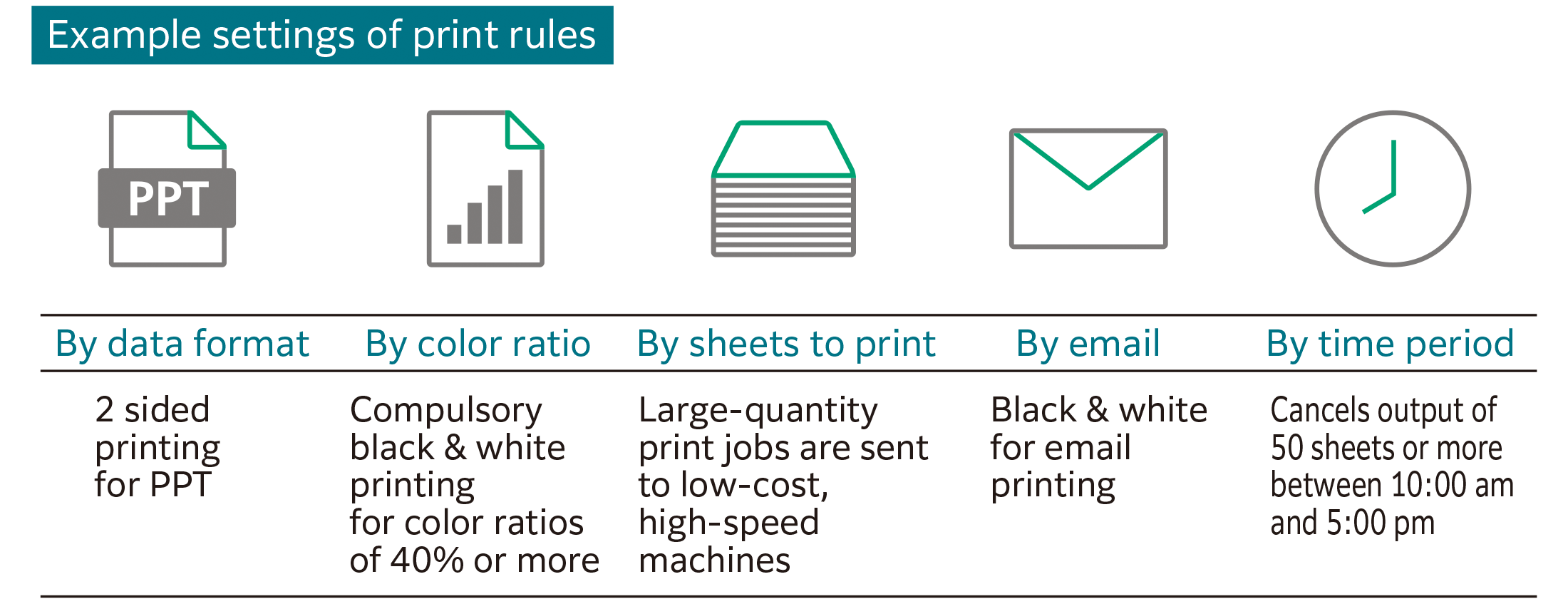
Rules for output such as high speed, 2 sided printing of large-quantity jobs and black & white printing for email can be specified. Output without wastefulness can be performed thoroughly without relying on user awareness.
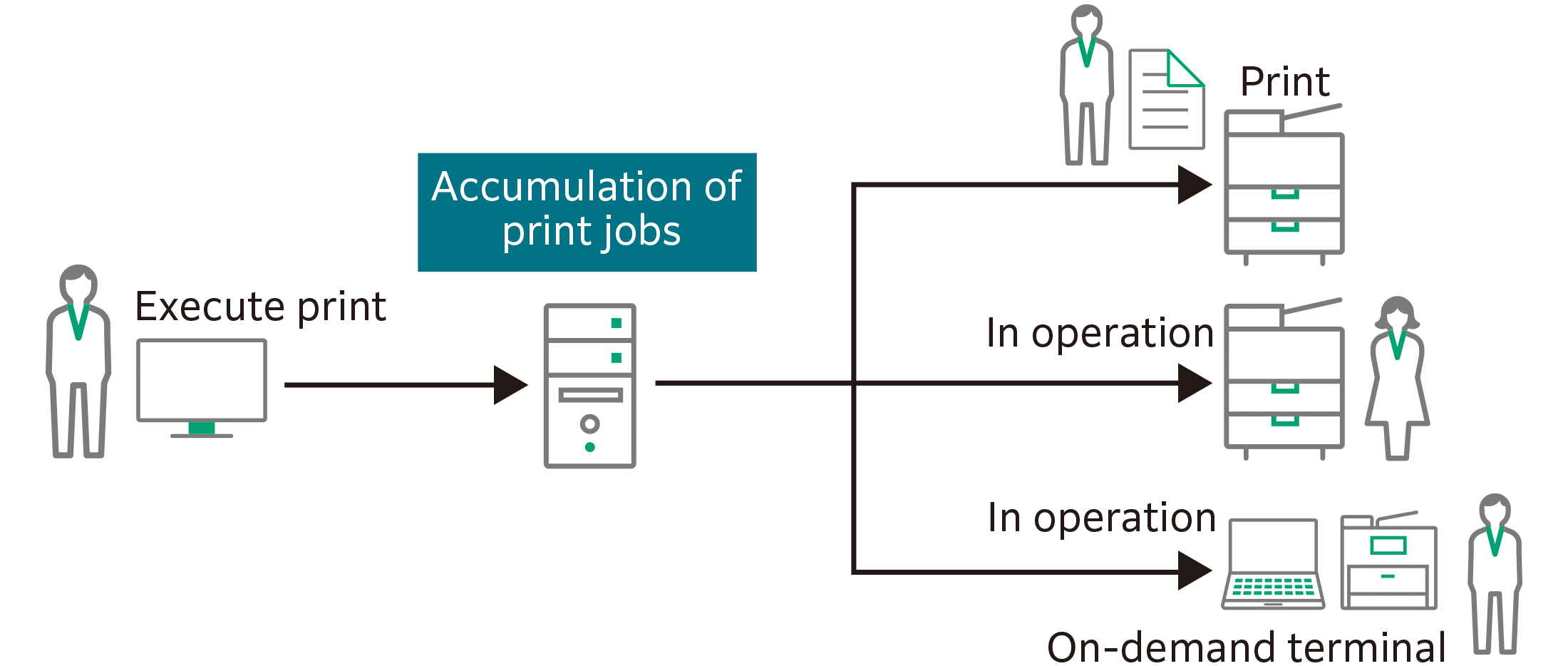
Print On Demand can output from any device of your choice upon user authentication. Print jobs are stored temporarily to a server, allowing users to print only correct documents and delete jobs with incorrect settings.
*6 Print On Demand is optional for the Entry Edition and standard for the Enterprise Edition.
For example, users can pay to use Guest Print. Guest users will be able to perform the print job from designated locations, such as the library.
*7 Optional for Entry Edition.
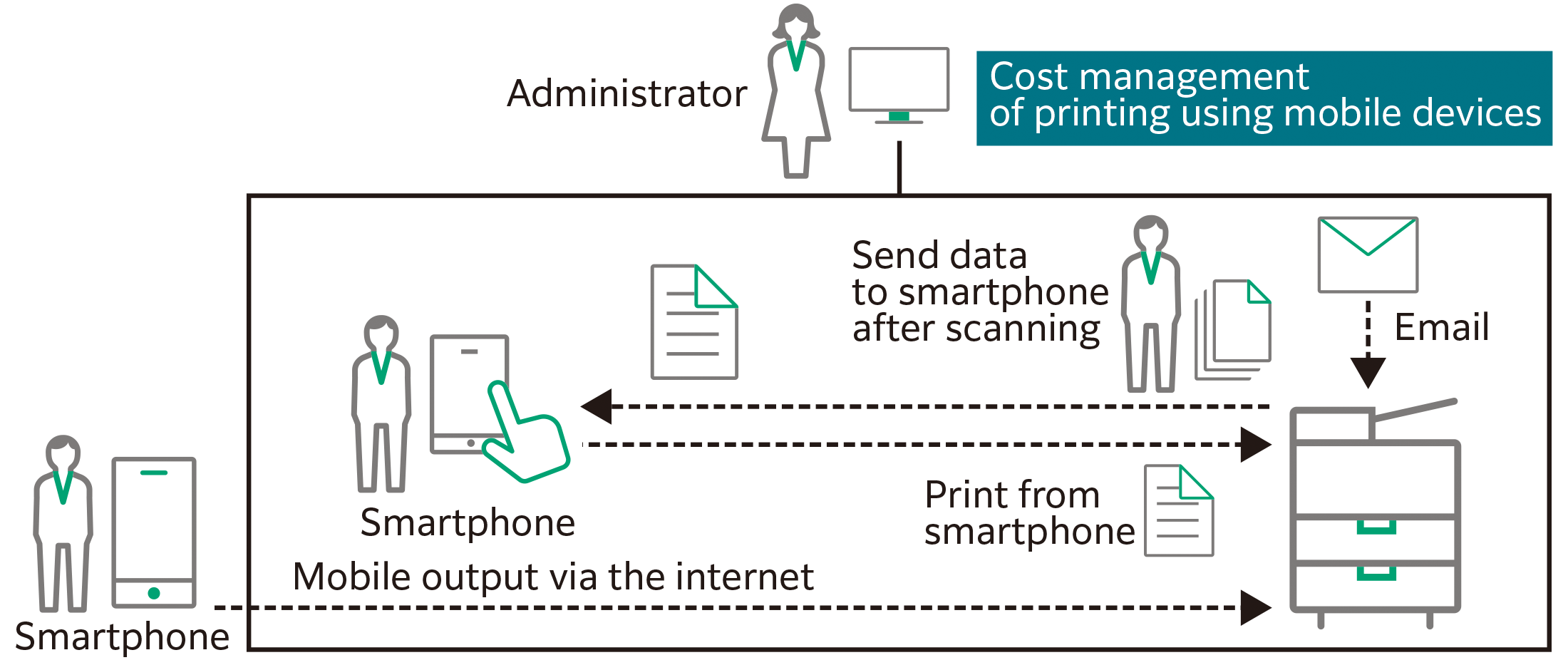
ApeosWare Management Suite 2 can manage input and output from smartphones and tablet devices.
*8 Optional for Entry Edition.
Files can be uploaded and output via a web browser. Emails and attachments sent to a specified email address can be printed.
*9 Optional for Entry Edition.
Isolating the Mobile Server allows mobile output via the internet.
*10 Optional for Entry Edition. Note: Separate user licences are required for 11 or more users.
*11 Optional for Entry Edition. *12 DocuShare, Salesforce, OneDrive, SharePoint Online, ABBYY FlexiCapture are supported optionally.
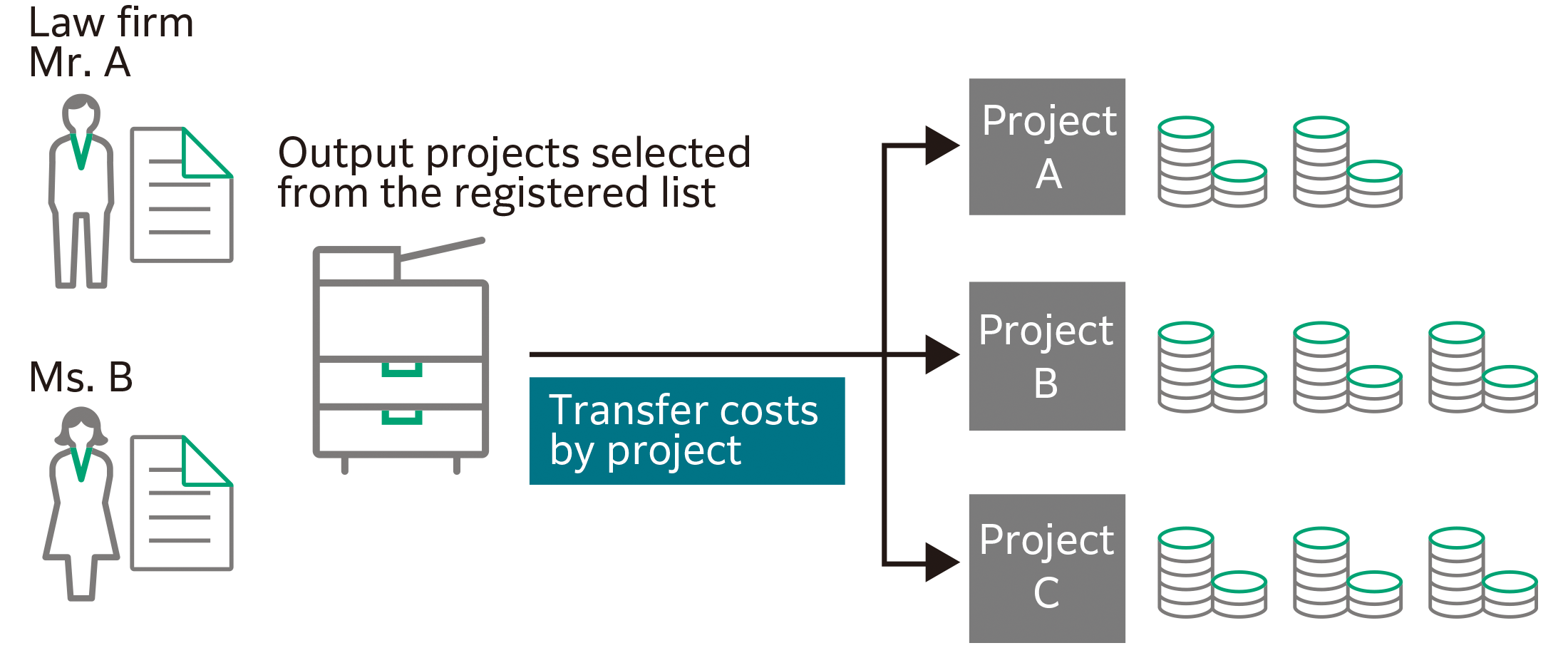
Staff at offices such as law offices or architect studios that have multiple projects can register an account for each project in advance. Accounting results can then be used to transfer costs.
*13 Optional for Entry Edition.
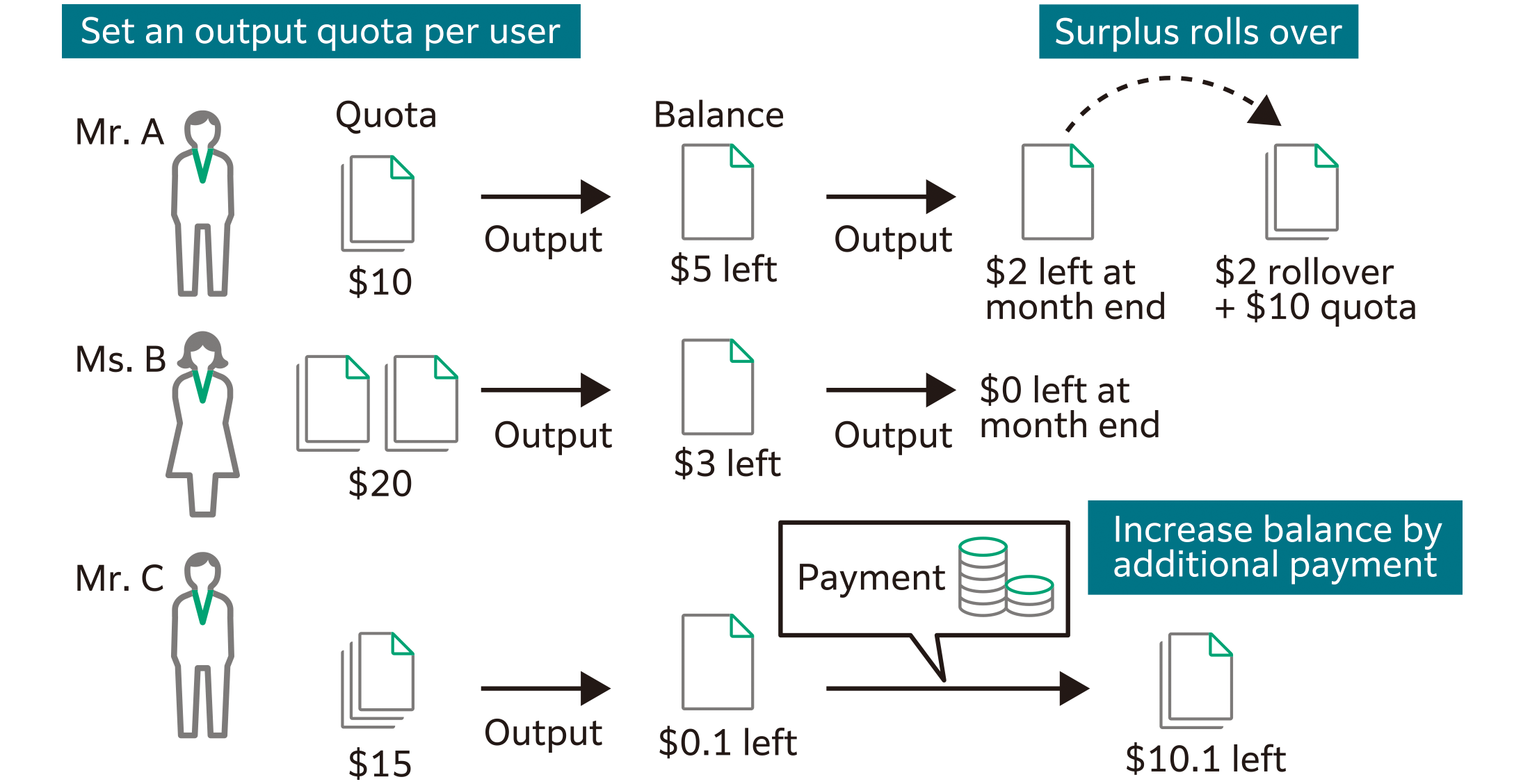
A balance can be set for each account to control output costs. Flexible operations are possible by rolling over surplus balances to the next month or replenishing accounts with insufficient balances.
*14 Optional for Entry Edition.
Avoid confusion with a unified operation screen, even when accessing various file management services. Once user IDs and passwords are registered in advance, there is no need to log in to file management services every single time.
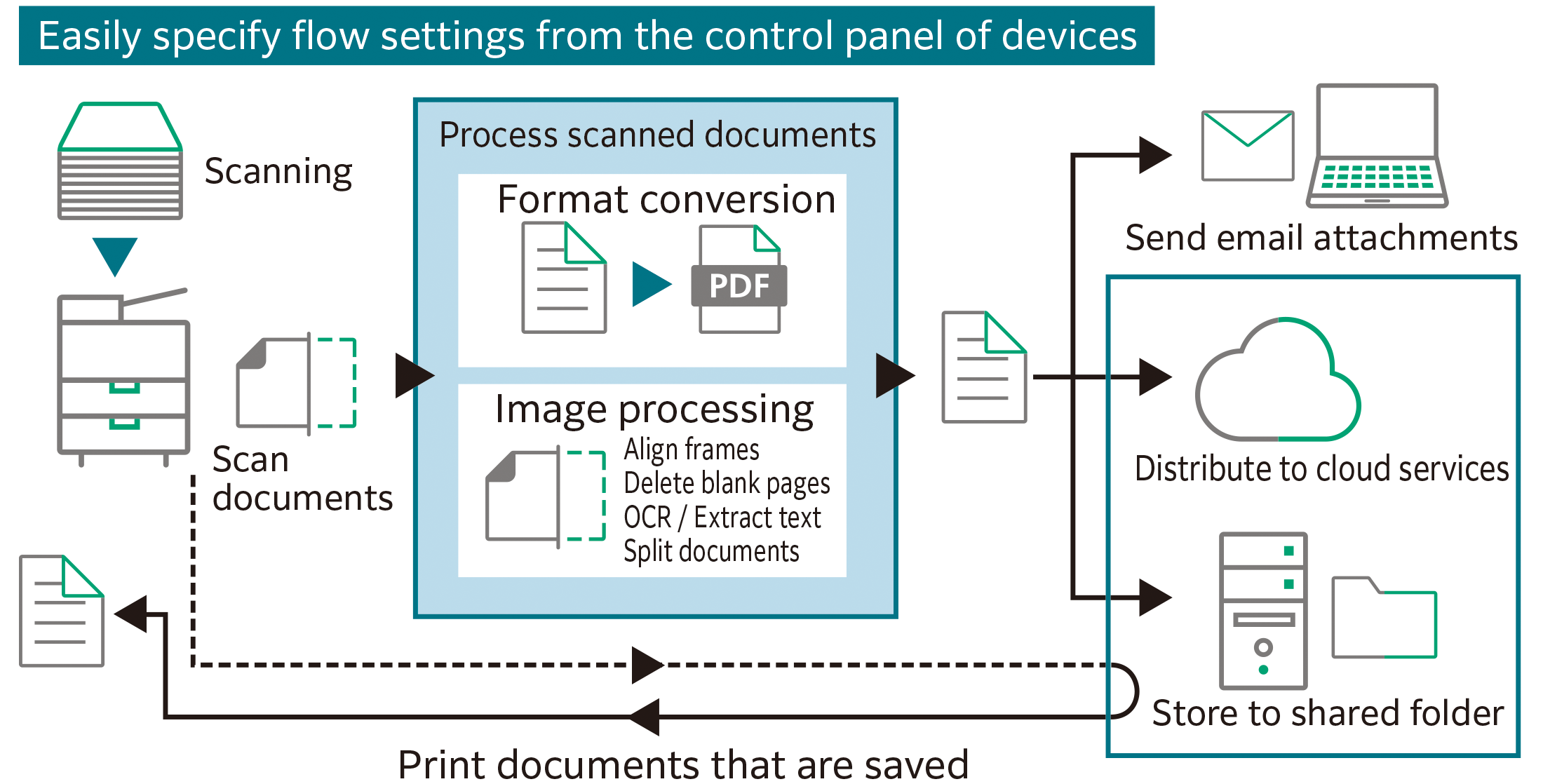
A simple flow function is provided to process and distribute scanned documents. Scanned documents can be attached and sent by email or stored in a shared folder on the network.
For example, documents saved to cloud services can be accessed from the control panel of devices and printed.
*15 SMB, FTP, email, Google Drive are supported as standards. DocuShare, Salesforce, OneDrive, SharePoint Online, ABBYY FlexiCapture are supported optionally.
*16 Optional for Entry Edition.
*17 Optional
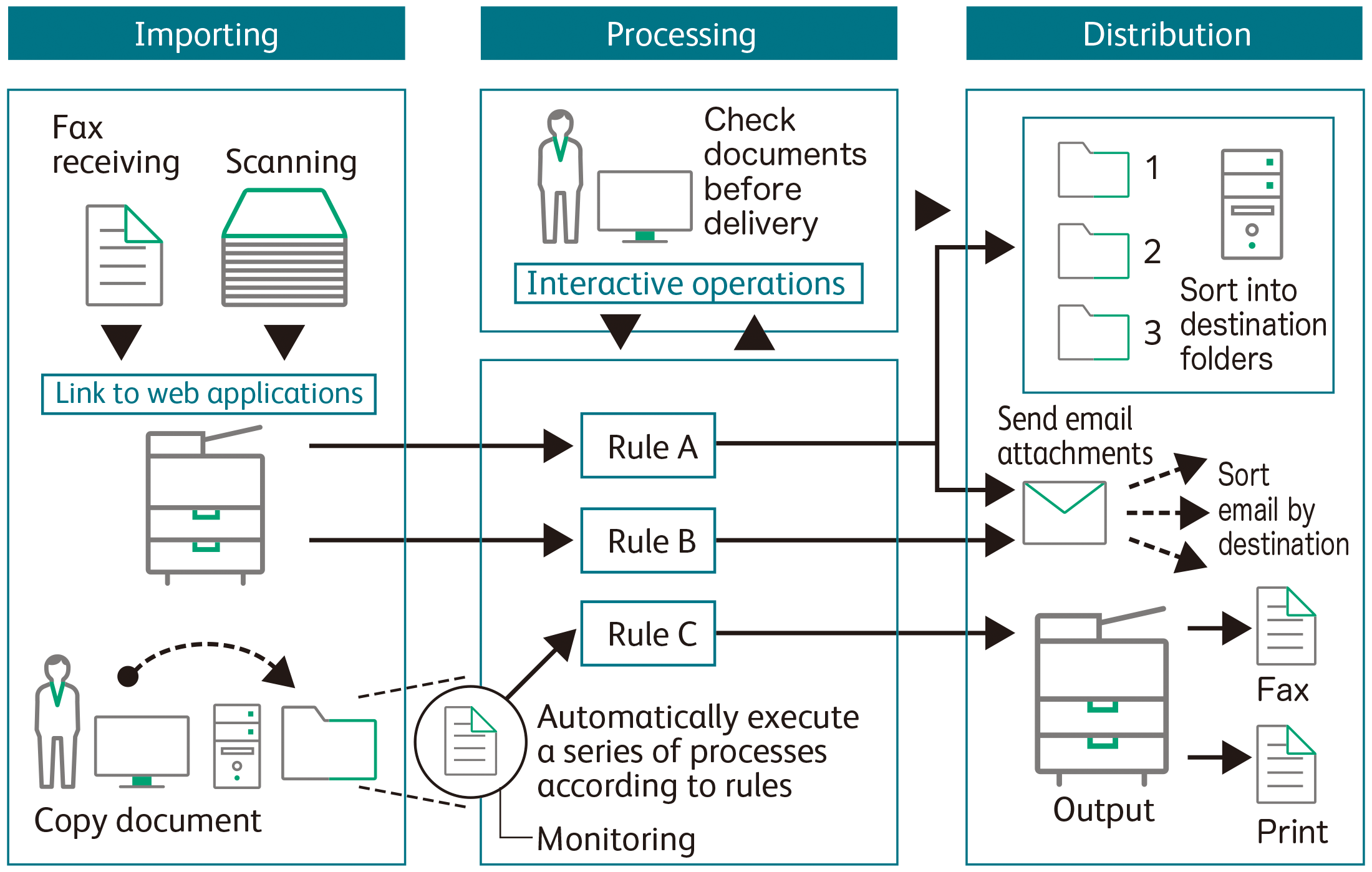
Various processes can be set by establishing rules as flows in advance. A series of processes is performed automatically such as document processing, distribution, outputting, and saving by simply importing documents from received faxes and scan operations.
Processes such as format conversion and OCR processing*18 that go along with importing documents can be performed automatically. High-level processing can also be standardised, including sorting for addresses based on text strings extracted through OCR.
*18 A separate option is required.
*19 Optional
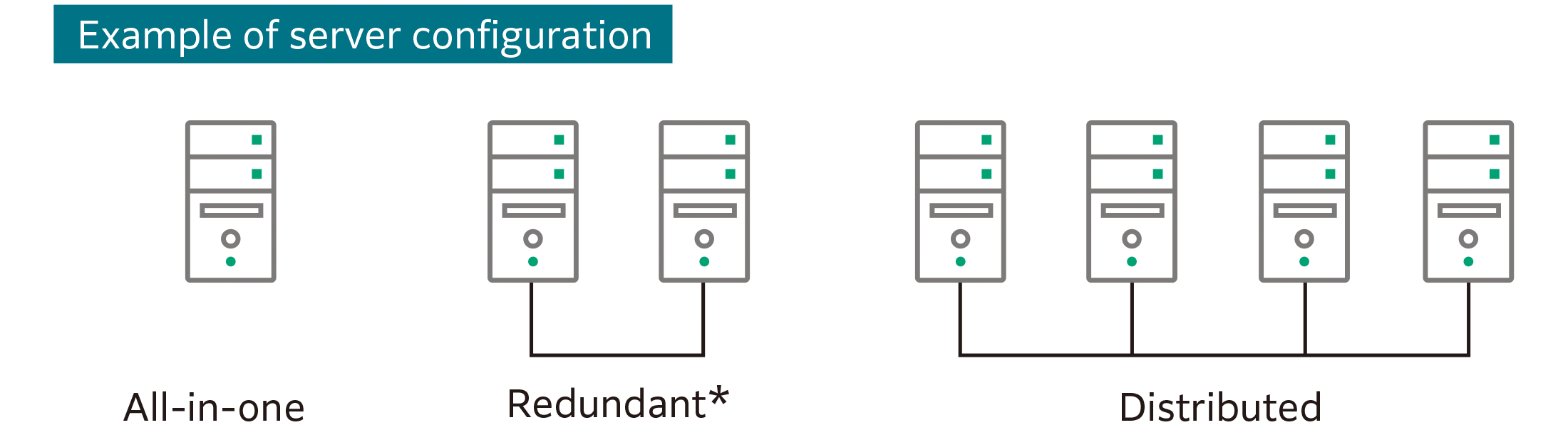
ApeosWare Management Suite 2 offers an Entry Edition for easy implementation and an Enterprise Edition with Print On Demand and cost management as standard features. In addition, features can be adapted to your needs.
For the Entry Edition and Enterprise Edition, the amount of data handled by the system can be controlled according to the specifications of the server.
| Entry Edition | Enterprise Edition |
|---|---|
| Basic features including device, user and log management are offered in an all-in-one configuration. | Redundant and distributed configurations are available. Print On Demand and cost management features are standard. |
| Redundant configuration | |
| Distributed configuration | |
| Paid scan & connect*1 | |
| Print on demand*1 | Print on demand |
| Cost management*1 | Cost management |
| Image log control feature*1 | |
| Flow management feature*1 | |
| Device license*1 | |
| Basic scan & connect | |
| Mobile user license*2 | |
| Basic print feature | |
| Log management feature | |
| User management feature | |
| Device management feature | |
*1 Optional.
*2 Separate user licences are required for 11 or more users.
ApeosWare Management Suite 2 can be configured as a system adapting to the IT needs of customers. In an all-in-one configuration, high-level features are bundled onto a single server. It allows input and output of documents with a minimum of investment and contributes to resolving various challenges. Enterprise Edition supports redundant and distributed configurations to satisfy high-level system requirements.
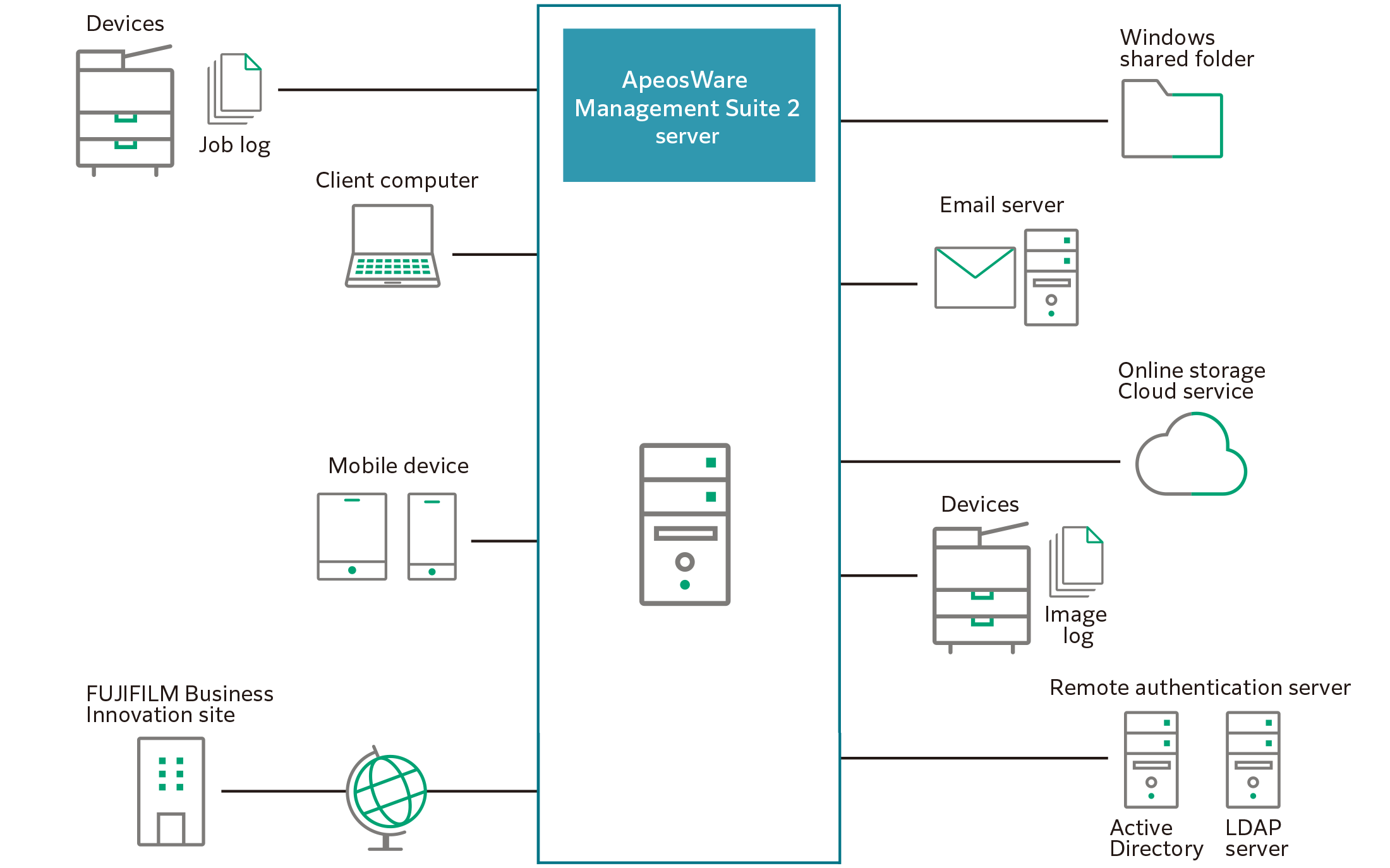
ApeosWare Management Suite 2 manages network devices such as multifunction devices and printers, and the users of those devices, and is a software that comprehensively manages authentication, output, log accounting and document distribution.
Inquiry - ApeosWare Management Suite 2
CoE Marketing (M) Sdn Bhd provides photocopier rental, sales, and Managed Print Solutions for businesses across Kuala Lumpur, Selangor & Nilai. Reliable and cost-efficient printing solutions. Contact us today!
51 & 53, Jalan PJU 1A/41B, Pusat Dagangan NZX, Ara Damansara, 47301 Petaling Jaya, Selangor, Malaysia.

